This was, by a wide margin, the most challenging phase of the project. I hit six genuinely real problems along the way, including a split-brain incident during failover testing. I'm documenting all of it honestly, including the dead ends, because that's what real DBA troubleshooting actually looks like.
Scope decision: no Windows Server Failover Cluster
Before starting, I made a deliberate decision: I used CLUSTER_TYPE = NONE for this Availability Group rather than a real Windows Server Failover Cluster (WSFC).
Why: both SQLDBA-Primary and my new secondary VM are standalone workgroup machines, not joined to an Active Directory domain. Setting up a domain controller plus a real WSFC would have been a genuinely large undertaking on top of everything else — I estimated 4–8 hours for VM provisioning, AD DS promotion, domain-joining both machines, and cluster validation, easily spanning another full session or two.
CLUSTER_TYPE = NONE only supports manual/forced failover and carries real split-brain risk, which I discovered firsthand later in this phase.1. Confirmed baseline state
SELECT SERVERPROPERTY('ProductVersion') AS sql_version,
       SERVERPROPERTY('Edition') AS edition,
       SERVERPROPERTY('IsHadrEnabled') AS hadr_enabled;
Confirmed: SQL Server 2025 (17.0.1000.7), Enterprise Developer Edition, hadr_enabled = 0.
2. Provisioned the secondary VM — and hit a real, documented Hyper-V bug
I built SQLDBA-Secondary via the Hyper-V New Virtual Machine wizard: Generation 2, matching Primary's specs.
Decision: rather than keep fighting the ISO boot issue, I cloned SQLDBA-Primary instead, via Hyper-V export/import — sidestepping the ISO boot path entirely since the clone already has Windows and SQL Server fully installed.
Export-VM -Name "SQLDBA-Primary" -Path "C:\VM-Export"
Import-VM -Path "C:\VM-Export\...\<vmcx file>" -Copy -GenerateNewId -VirtualMachinePath "..." -VhdDestinationPath "..."
Get-VM -Id <new-guid> | Rename-VM -NewName "SQLDBA-Secondary"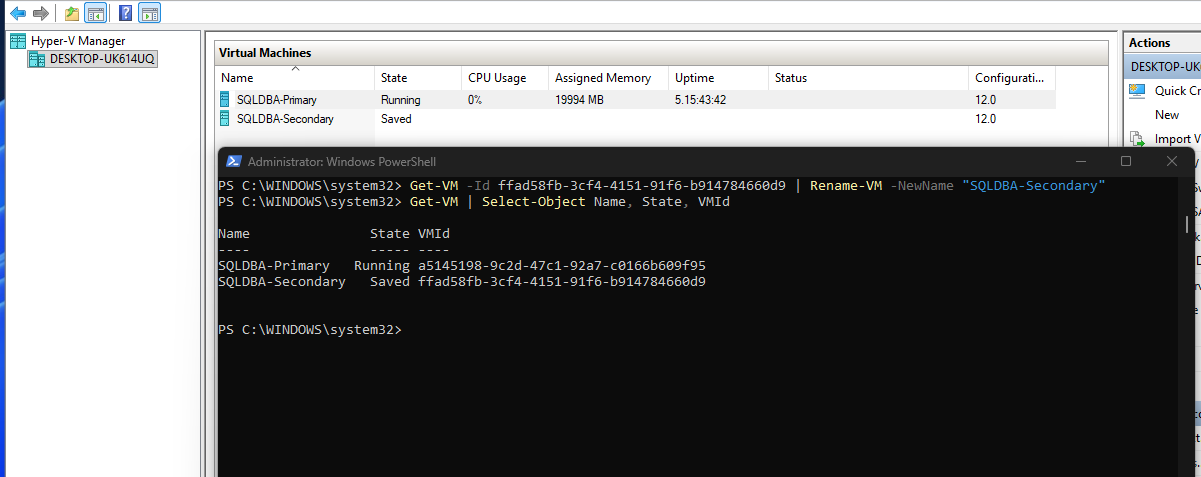
Post-clone, I had to remove a stale DVD drive reference and discard the VM's "Saved" state first, since hardware can't be modified while saved. This resolved the boot issue — the cloned VM started successfully into Windows.
WIN-V614QRHKTTS) — a genuine conflict once both machines are on the same network. My first rename attempt used SQLDBA-SECONDARY (17 characters), which Windows silently truncated to SQLDBA-SECONDAR due to the 15-character NetBIOS computer name limit. I fixed this with a shorter name: SQLDBA-SECNDRY.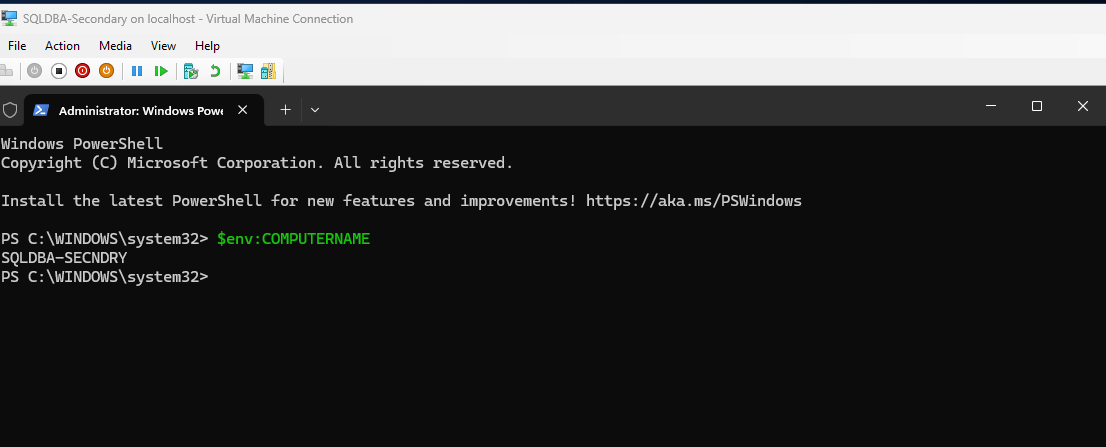
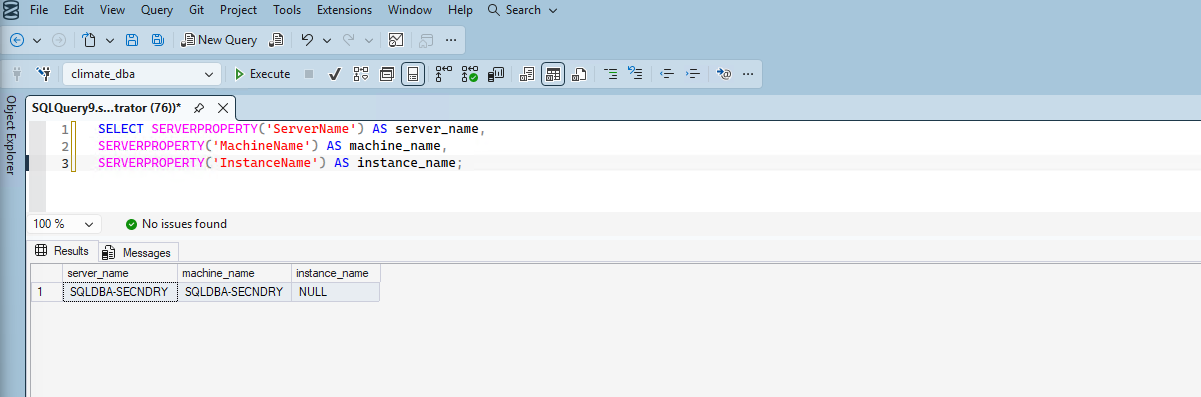
I confirmed SERVERPROPERTY('ServerName') automatically re-synced with the new computer name after restart — no manual SQL Server instance rename was needed, since this is a default (unnamed) instance:
3. Network connectivity — a real WiFi virtual switch limitation
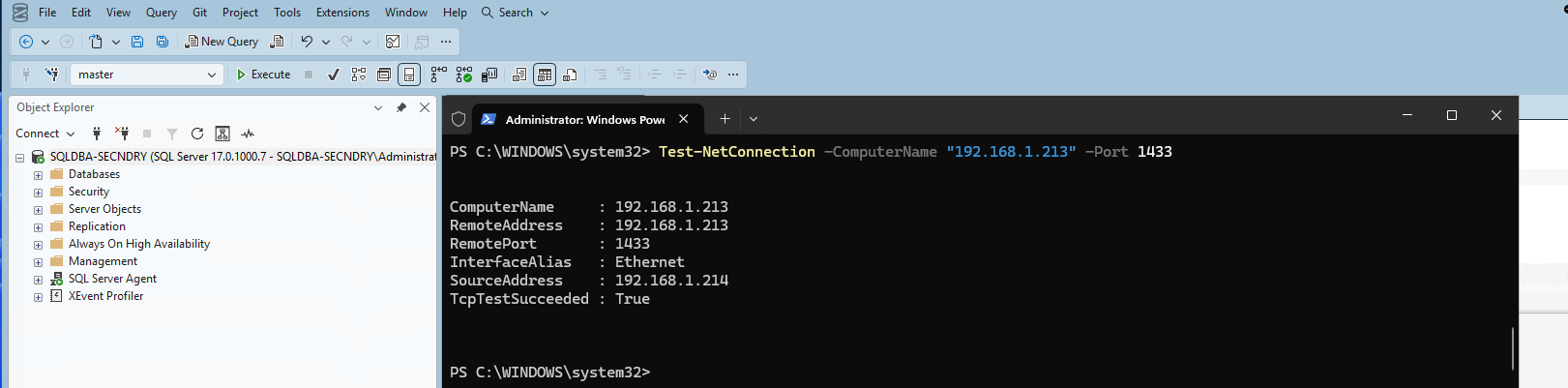
SQLLab-External-Switch is bound to a WiFi adapter, and WiFi drivers commonly block VM-to-VM traffic due to MAC address filtering — a well-documented Hyper-V limitation specific to WiFi-based external switches.Fix: enabled MAC address spoofing on both VMs' network adapters:
Get-VMNetworkAdapter -VMName "SQLDBA-Primary" | Set-VMNetworkAdapter -MacAddressSpoofing On
Get-VMNetworkAdapter -VMName "SQLDBA-Secondary" | Set-VMNetworkAdapter -MacAddressSpoofing On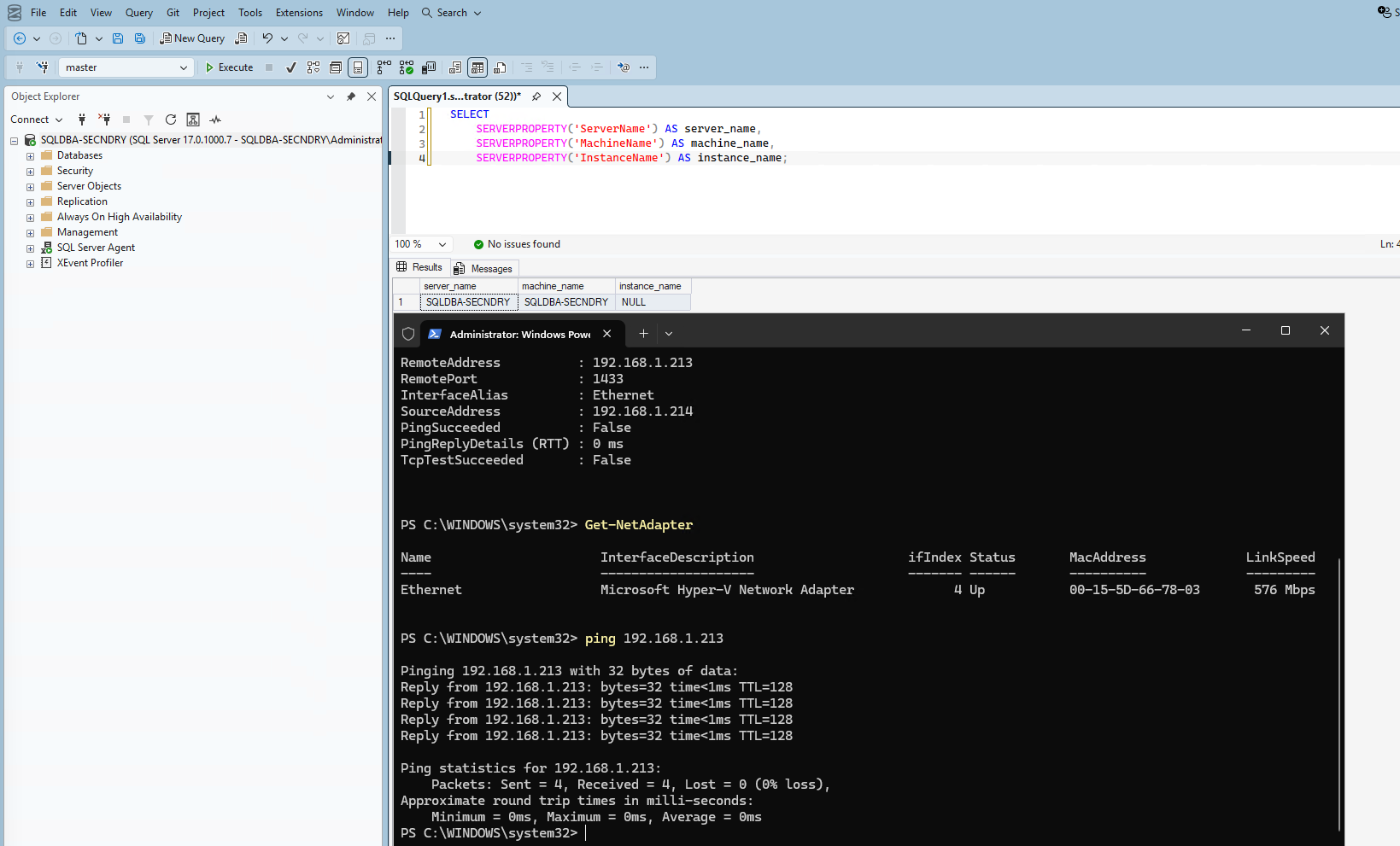
4. Enabled Always On on both instances
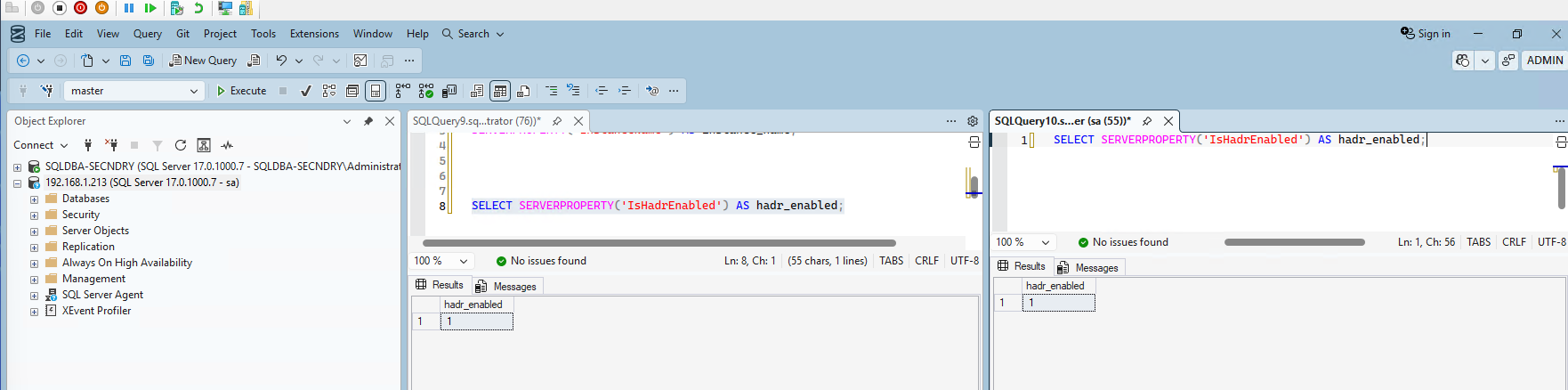
Via SQL Server Configuration Manager on both instances: SQL Server Services → SQL Server (MSSQLSERVER) → Properties → Always On Availability Groups tab → checked "Enable Always On Availability Groups" → Apply → restarted the service. Confirmed IsHadrEnabled = 1 on both instances.
5. Handled the cloned database, and confirmed the TDE certificate was already present
Since SQLDBA-Secondary was a full clone, it had its own independent copy of climate_dba. A real AG secondary needs to receive its copy through the AG's own seeding process, so I dropped it.
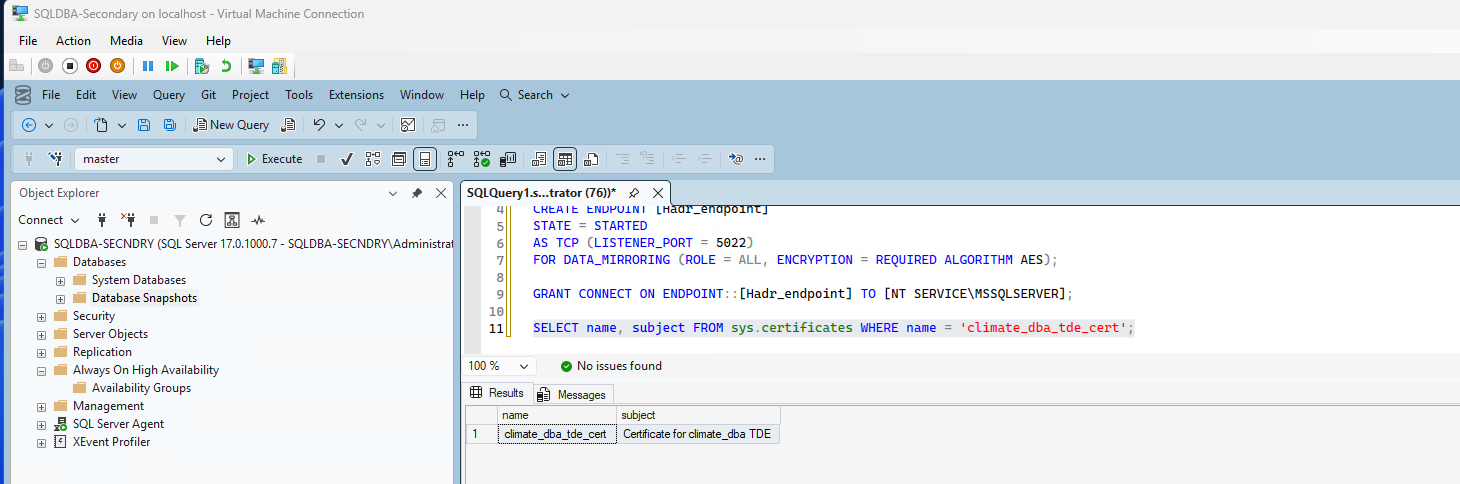
I also checked whether the TDE certificate (created back in Phase 6) needed to be manually restored on the secondary — since climate_dba is TDE-encrypted, the secondary needs this certificate to decrypt data during seeding. Because this VM is a clone, the certificate was already present, byte-identical.
6. Attempted the GUI wizard — hit a real, documented SSMS limitation
I took a fresh full backup on Primary as a seed point, then opened the New Availability Group Wizard.
climate_dba simply would not check, no matter what I tried. Eventually the wizard surfaced the real reason: "This wizard cannot add a database containing a database encryption key to an availability group. Use the CREATE or ALTER AVAILABILITY GROUP Transact-SQL statement instead." This is a genuine, documented SSMS limitation — TDE-encrypted databases cannot be added to an AG through the GUI wizard at all. I switched to T-SQL entirely from this point.7. Endpoint authentication — a real workgroup limitation
I created endpoints on both instances using the default Windows Authentication, and confirmed port 5022 connectivity worked in both directions.
ALTER AVAILABILITY GROUP ... JOIN failed with Msg 47106: Download configuration timeout. The root cause: these are standalone workgroup machines, not domain-joined. NT SERVICE\MSSQLSERVER is a local virtual account on each machine with no way to authenticate to the other machine without a domain trust relationship.Fix: dropped both endpoints and rebuilt using certificate-based authentication instead of Windows Authentication — creating a certificate on each instance, exchanging the public certificate files between machines, and establishing mutual trust through logins mapped to each imported certificate.
-- On each instance: create a certificate, back up the public .cer file
CREATE CERTIFICATE [Primary_AG_Cert] WITH SUBJECT = 'Primary AG Endpoint Certificate';
BACKUP CERTIFICATE [Primary_AG_Cert] TO FILE = 'C:\ClimateData\Primary_AG_Cert.cer';

-- Recreate the endpoint using certificate authentication
CREATE ENDPOINT [Hadr_endpoint] STATE = STARTED
AS TCP (LISTENER_PORT = 5022)
FOR DATA_MIRRORING (ROLE = ALL, AUTHENTICATION = CERTIFICATE [Primary_AG_Cert], ENCRYPTION = REQUIRED ALGORITHM AES);

-- On the OTHER instance: import this certificate, mapped to a login, grant CONNECT
CREATE LOGIN [Primary_AG_Login] WITH PASSWORD = '...';
CREATE USER [Primary_AG_User] FOR LOGIN [Primary_AG_Login];
CREATE CERTIFICATE [Primary_AG_Cert] AUTHORIZATION [Primary_AG_User] FROM FILE = 'C:\ClimateData\Primary_AG_Cert.cer';
GRANT CONNECT ON ENDPOINT::[Hadr_endpoint] TO [Primary_AG_Login];
I repeated this in both directions (Primary trusting Secondary, Secondary trusting Primary).
8. Created the Availability Group
CREATE AVAILABILITY GROUP attempt used a guessed replica name, 'SQLDBA-PRIMARY', which failed with Msg 35237. I'd confused the VM's Hyper-V display name with its actual SQL Server identity. The real name, checked directly via SERVERPROPERTY('ServerName'), was WIN-V614QRHKTTS.CREATE AVAILABILITY GROUP [ClimateDBA-AG]
WITH (CLUSTER_TYPE = NONE)
FOR DATABASE climate_dba
REPLICA ON
'WIN-V614QRHKTTS' WITH (ENDPOINT_URL = 'TCP://192.168.1.213:5022', AVAILABILITY_MODE = SYNCHRONOUS_COMMIT, FAILOVER_MODE = MANUAL, SEEDING_MODE = AUTOMATIC),
'SQLDBA-SECNDRY' WITH (ENDPOINT_URL = 'TCP://192.168.1.214:5022', AVAILABILITY_MODE = SYNCHRONOUS_COMMIT, FAILOVER_MODE = MANUAL, SEEDING_MODE = AUTOMATIC);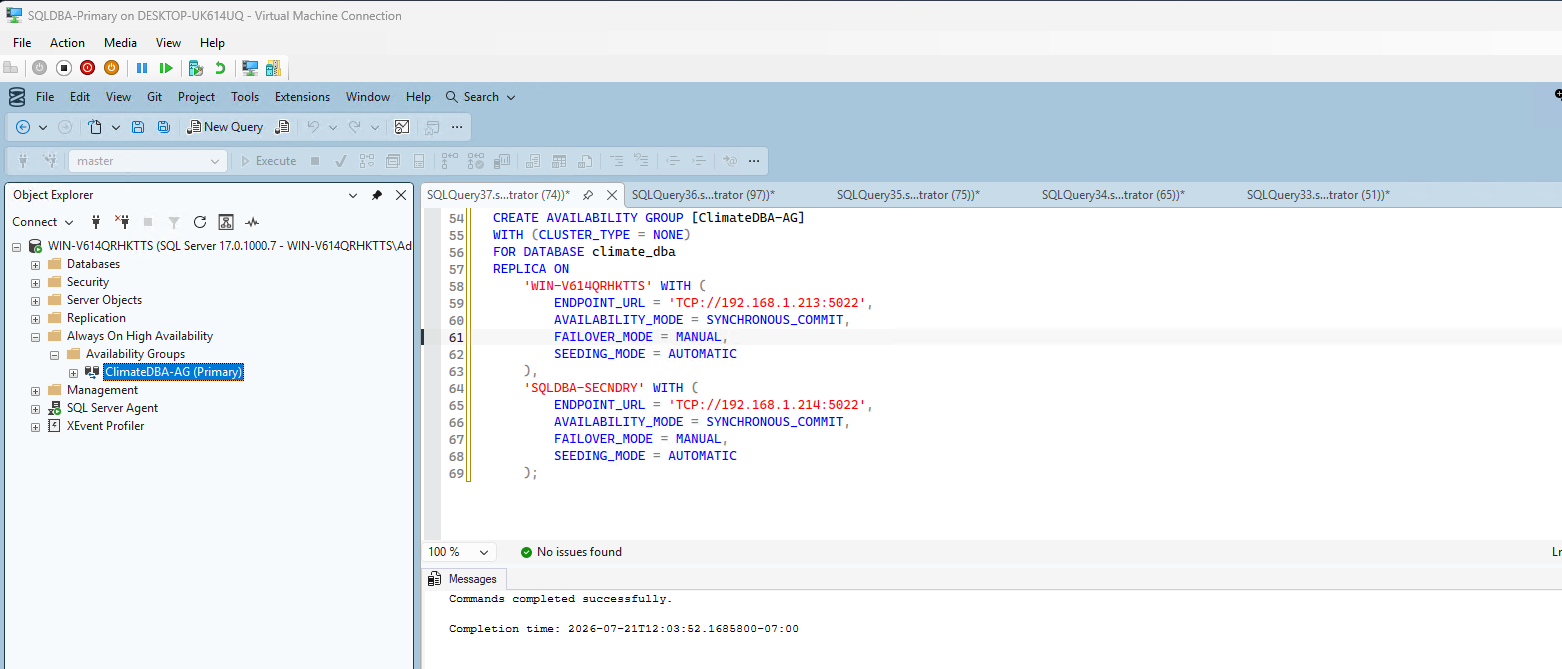
SQLDBA-SECNDRY joined successfully:
ALTER AVAILABILITY GROUP [ClimateDBA-AG] JOIN WITH (CLUSTER_TYPE = NONE);
ALTER AVAILABILITY GROUP [ClimateDBA-AG] GRANT CREATE ANY DATABASE;
9. Verified health and data synchronization
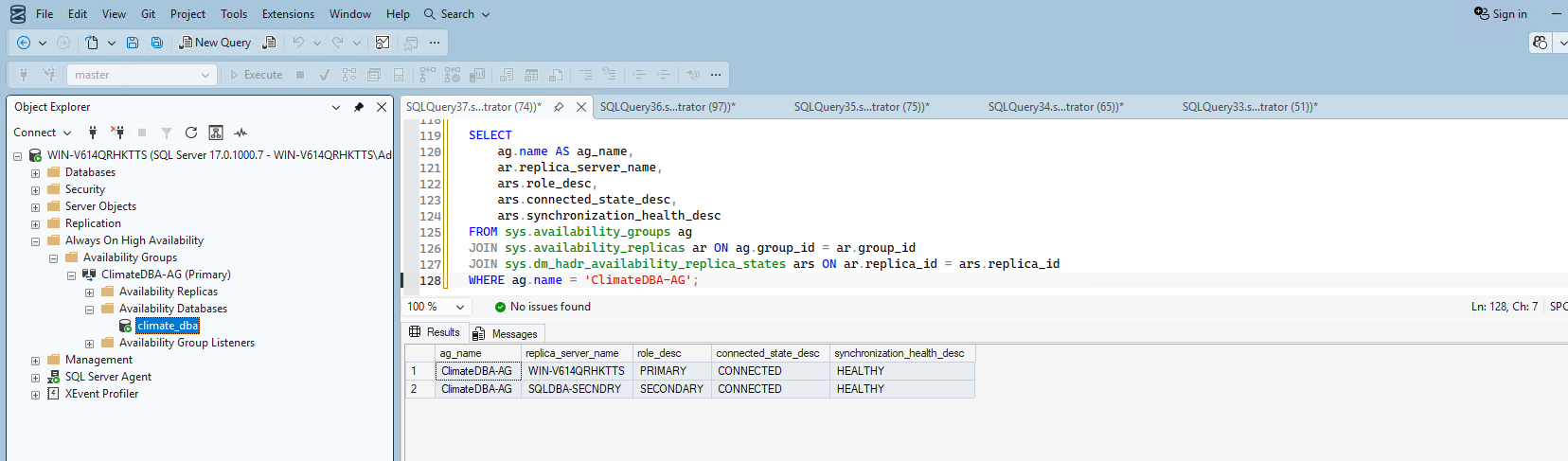
Both replicas showed CONNECTED and HEALTHY.
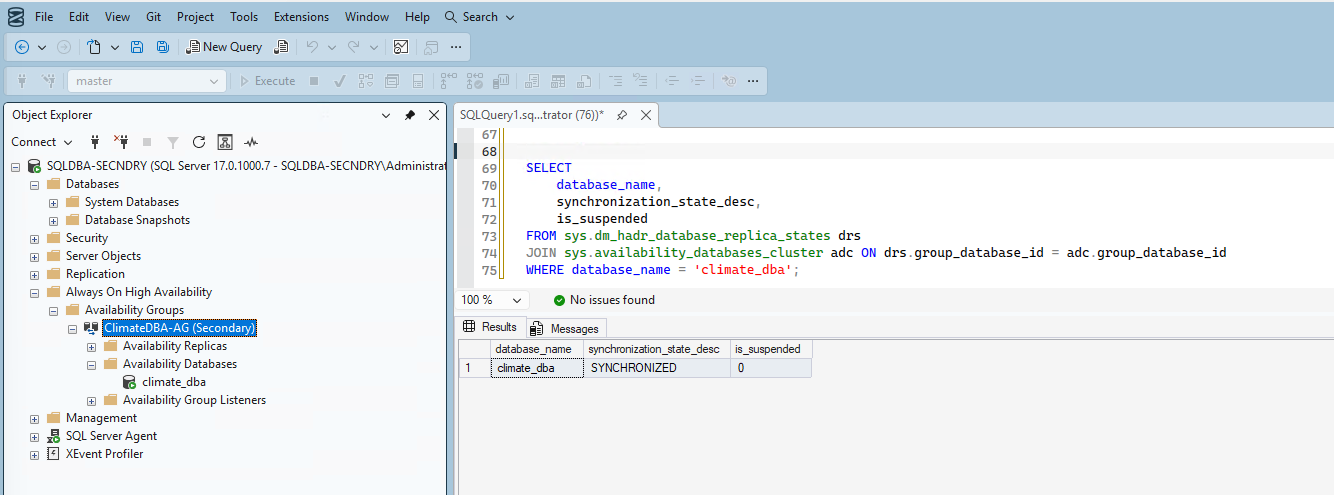
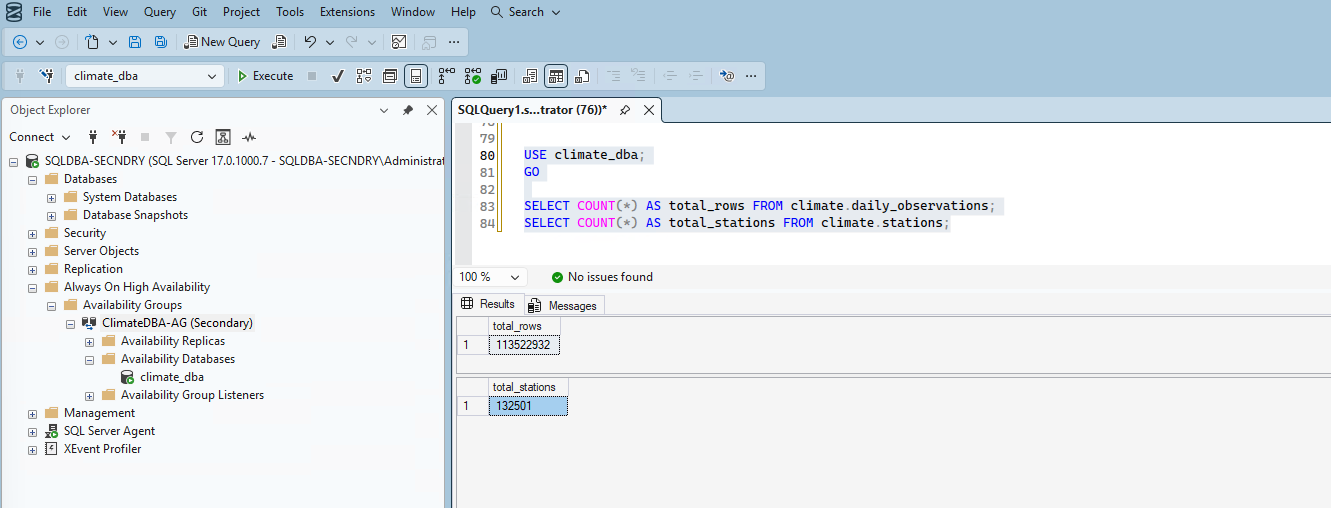
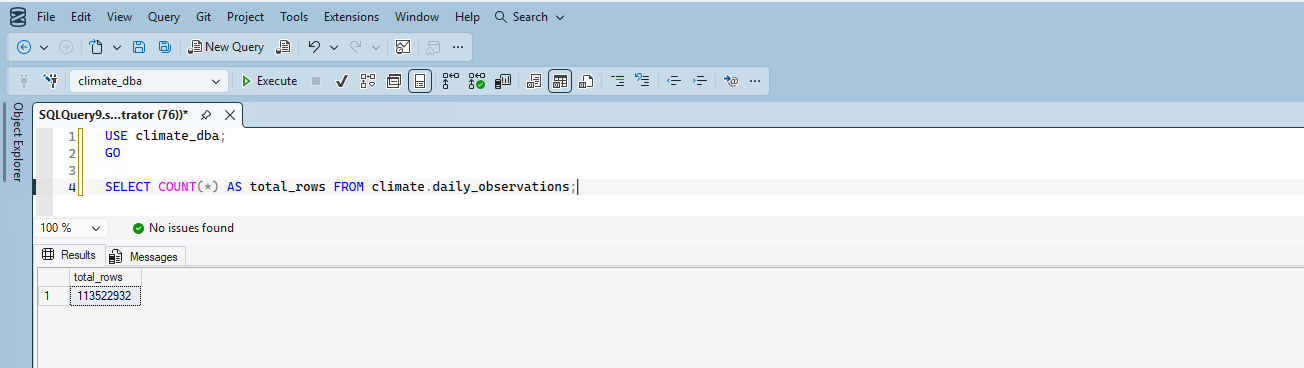
I enabled read access on the secondary and verified the actual data replicated correctly — not just that the sync status said healthy. Both row counts (113,522,932 observations, 132,501 stations) matched exactly, confirming the AG's automatic seeding replicated the complete ~20GB encrypted database over the network.
10. Manual failover test — and a real split-brain incident
My first failover attempt used the standard graceful failover command, which failed: Msg 47122: only FORCE_FAILOVER is supported with CLUSTER_TYPE = NONE — a direct, documented consequence of not using a real WSFC. I used the correct command instead:
ALTER AVAILABILITY GROUP [ClimateDBA-AG] FORCE_FAILOVER_ALLOW_DATA_LOSS;This succeeded — SQLDBA-SECNDRY was promoted to PRIMARY, verified healthy, and serving the complete, correct dataset.
WIN-V614QRHKTTS to complete a round-trip test. This resulted in both instances simultaneously believing they were the primary replica — a real split-brain scenario. This is a well-documented, genuine risk specific to CLUSTER_TYPE = NONE Availability Groups: without a WSFC's quorum-based arbitration, there's no mechanism preventing two replicas from both claiming primary after a forced failover.Recovery: I dropped the Availability Group entirely on both instances, verified a clean state on both sides, and rebuilt it from scratch — including resolving a leftover standalone copy of climate_dba on the secondary before automatic seeding would create a fresh, properly-joined copy.
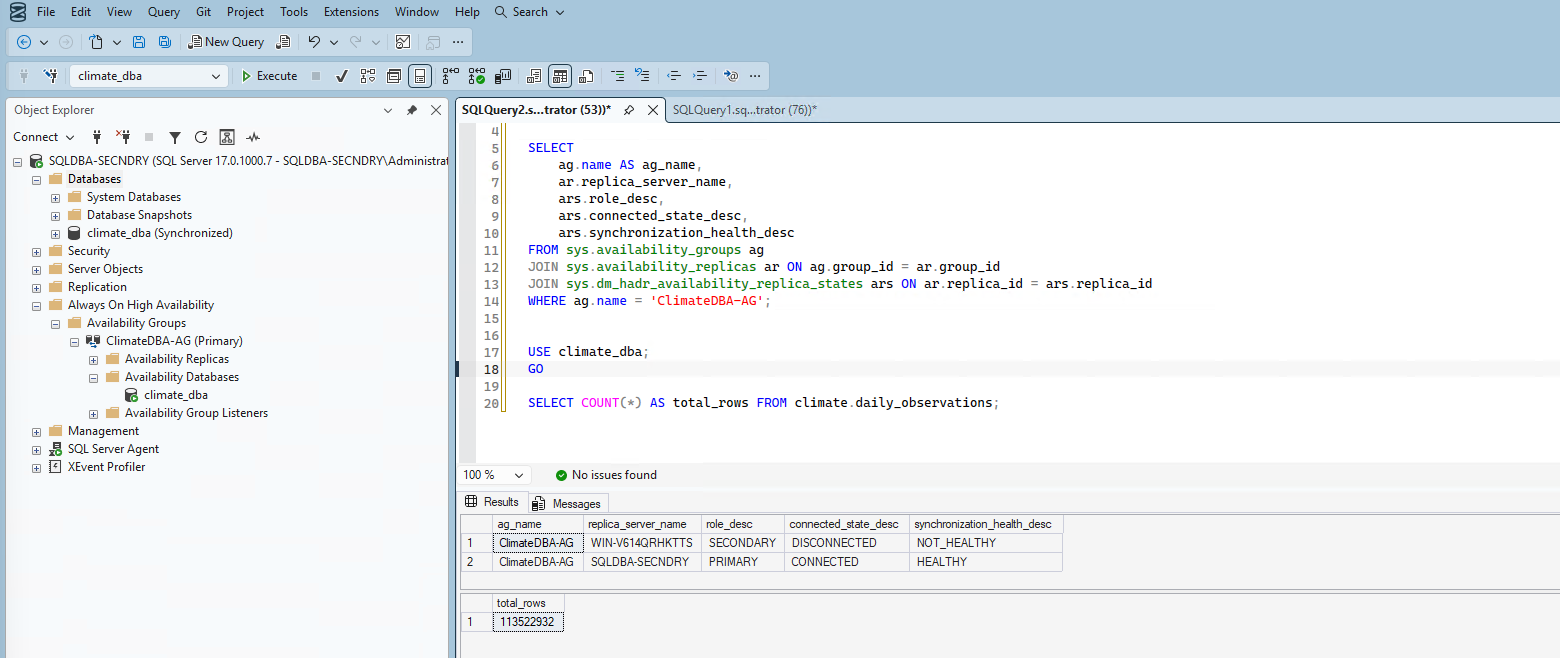
After rebuilding, I performed one deliberate, single failover and stopped there, rather than attempting the round-trip again. Verified healthy, verified the new primary was serving the complete, correct dataset:
Summary
| Item | Status | Real issue encountered |
|---|---|---|
| Secondary VM provisioning | ✅ Complete (via clone) | ISO boot failure — documented Hyper-V/Windows Server 2025 issue |
| Computer rename | ✅ Complete | Hit the 15-character NetBIOS limit |
| Network connectivity | ✅ Complete | WiFi virtual switch MAC filtering |
| Always On enabled | ✅ Complete | None |
| Endpoint authentication | ✅ Complete | Workgroup auth limitation — required certificate-based endpoints |
| Availability Group created | ✅ Complete | Guessed replica name was wrong (VM display name ≠ SQL Server name) |
| Data synchronization | ✅ Verified | None — clean, matching row counts |
| Manual failover | ✅ Verified (single direction) | Graceful failover unsupported without WSFC; round-trip attempt caused genuine split-brain, requiring a full AG rebuild |
What's Next
With a genuinely working (if hard-won) Always On Availability Group in place, Phase 10 moves into monitoring — DMV-based queries and Extended Events for ongoing observability.