1. Confirmed SQL Server Agent is running
Before automating anything, I re-confirmed Agent's status (verified initially back in Phase 2): Running, Automatic startup.
2. Automated Phase 5's full backup
I created a job to automate the weekly full backup.
sp_add_schedule call for the weekly schedule accidentally ran more than once, creating 4 duplicate schedules with the identical name. This caused Msg 14371 (ambiguous schedule name) when I tried attaching it to the job. I checked msdb.dbo.sysschedules, confirmed 4 duplicate IDs existed, deleted 3 of them, and attached using the remaining schedule's ID directly rather than its name.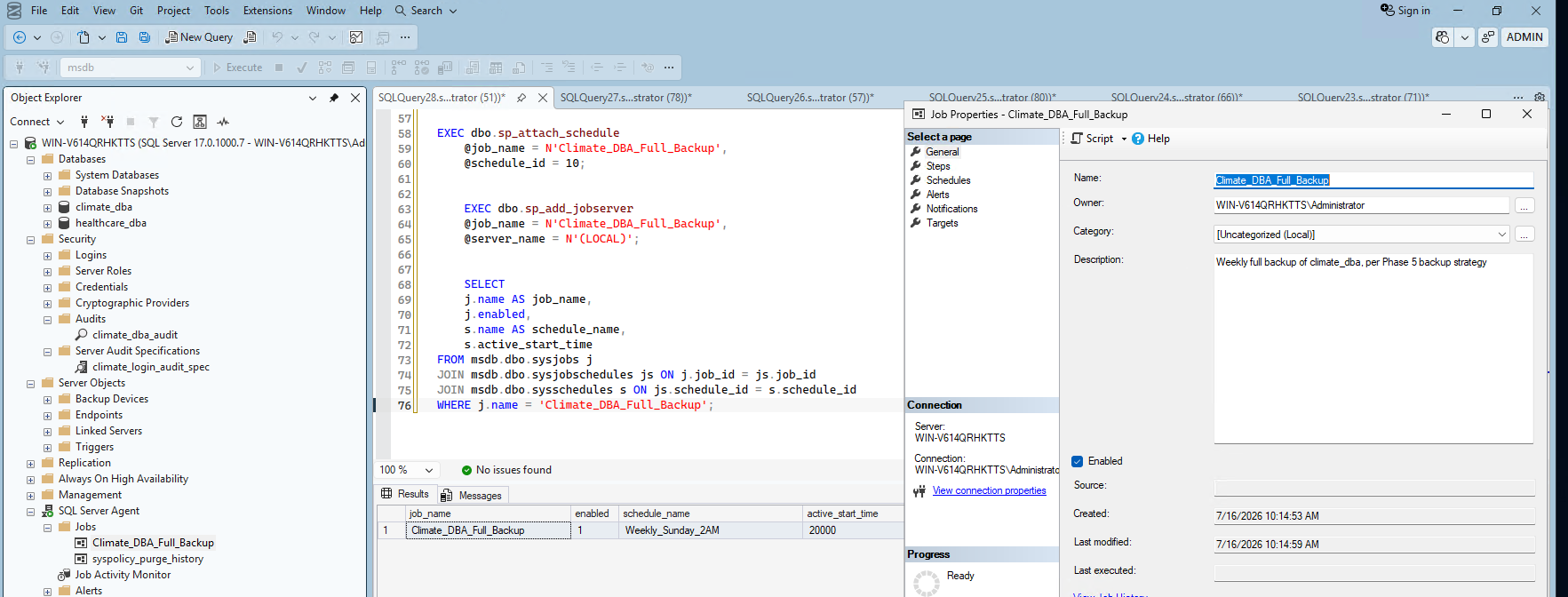
sp_start_job via T-SQL didn't actually trigger execution in my session — sysjobactivity showed NULL start/stop times and last_run_outcome = 5 (Unknown/never run) even though the call returned without error. Running the same job through the SSMS GUI (right-click → Start Job at Step) worked correctly. I confirmed this genuinely produced a real backup by checking the file directly inside the VM — a real file with a fresh timestamp and ~6.95GB size, matching Phase 5's numbers.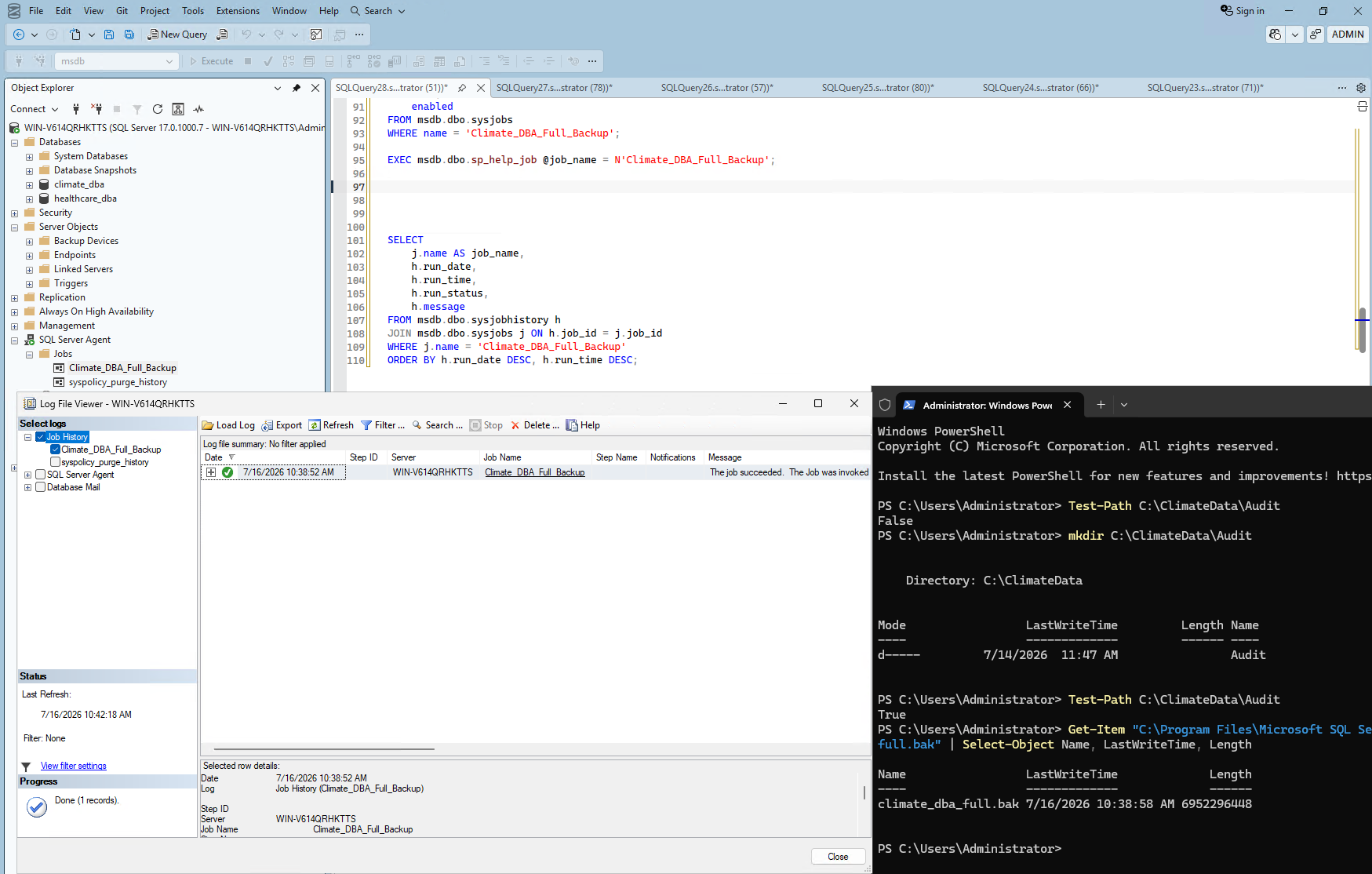
3. Automated the differential and log backup jobs
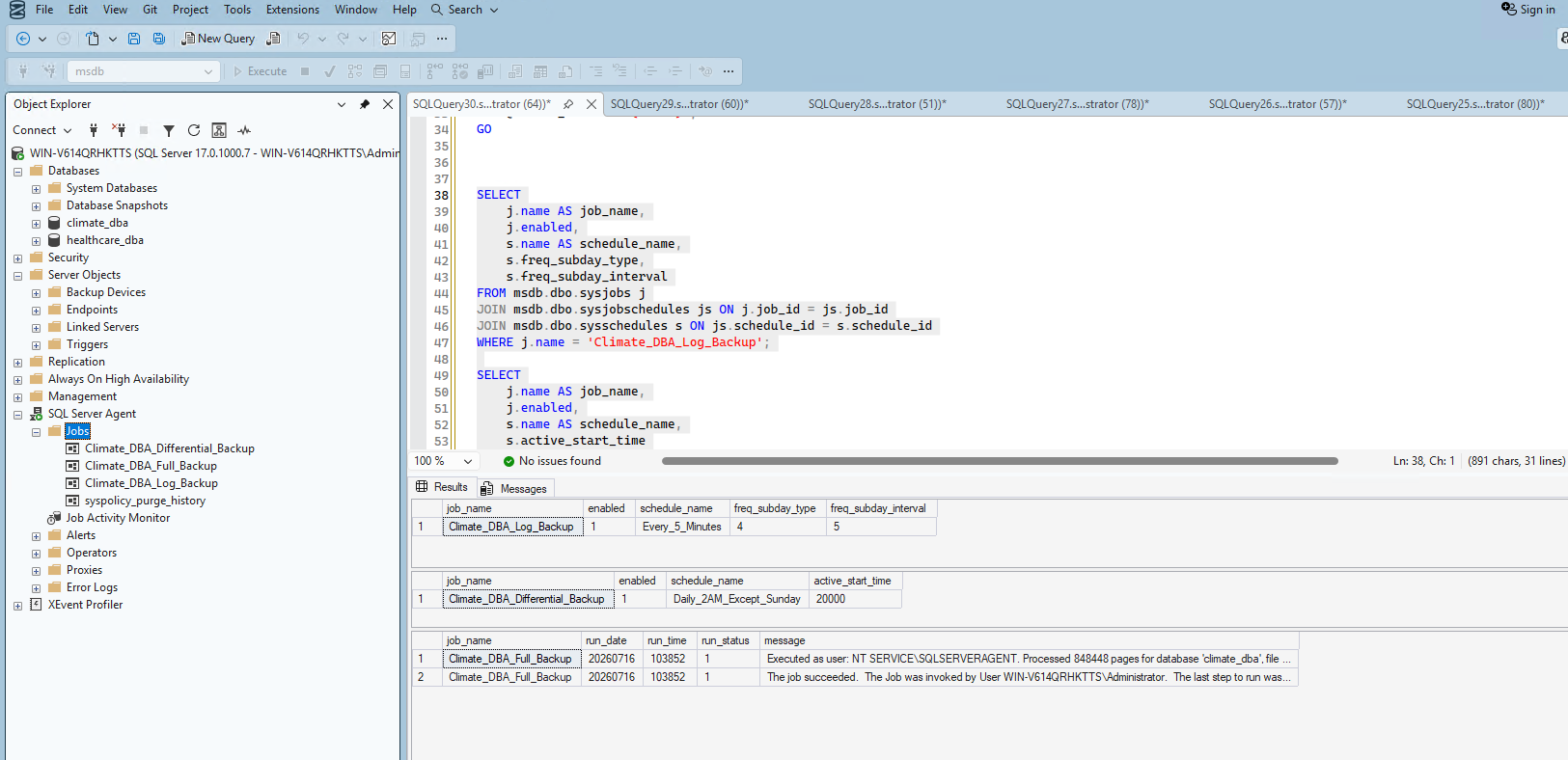
I repeated the same pattern for the remaining two backup types, matching Phase 5's schedule design: differential daily except Sunday (using a bitmask to represent Mon–Sat), and log backup every 5 minutes, directly automating Phase 5's 10-minute RPO requirement with a 2x safety margin.
All three backup jobs now exist, scheduled correctly:
4. Automated Phase 3's maintenance routine
I built a two-step job — integrity check first, then statistics update — matching Phase 3's manual maintenance work.
Msg 2812 (could not find stored procedure) — my session context wasn't set to msdb. Adding USE msdb; fixed it immediately.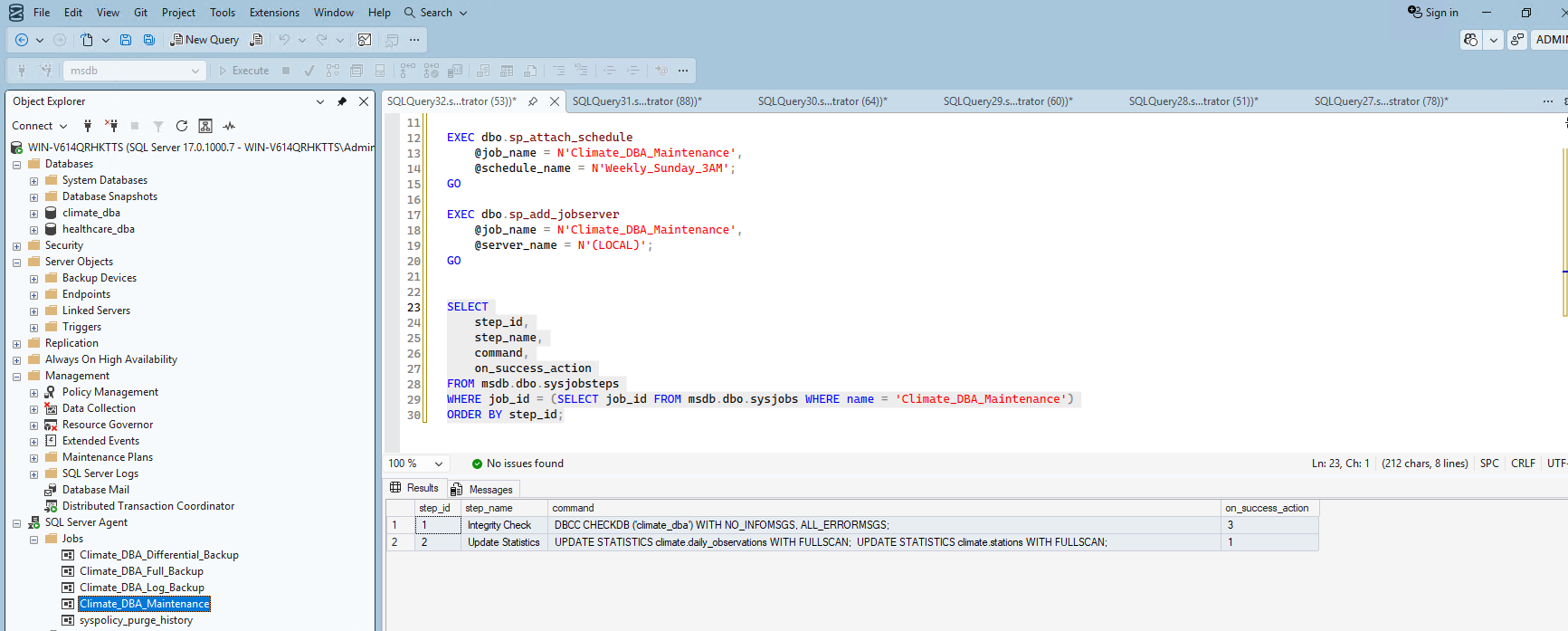
I ran the job manually through the GUI — both steps succeeded ("2 Total, 2 Success"):

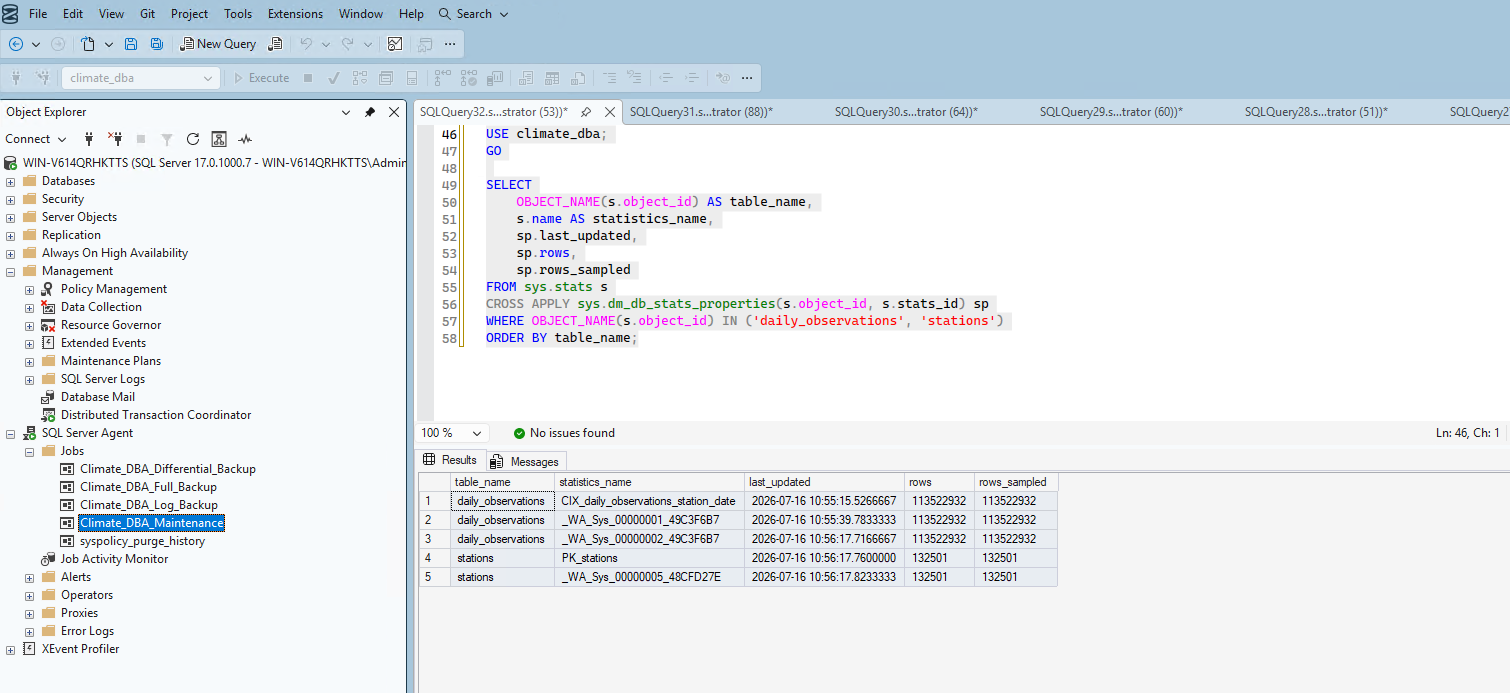
I didn't just trust the GUI's success message — I verified the statistics were genuinely refreshed. Every statistics object showed a fresh timestamp with rows_sampled exactly matching rows — confirming the FULLSCAN genuinely ran, not just that the job reported success.
5. Configured job failure notifications — with an honest limitation
I checked whether Database Mail was already configured. Result: no rows.
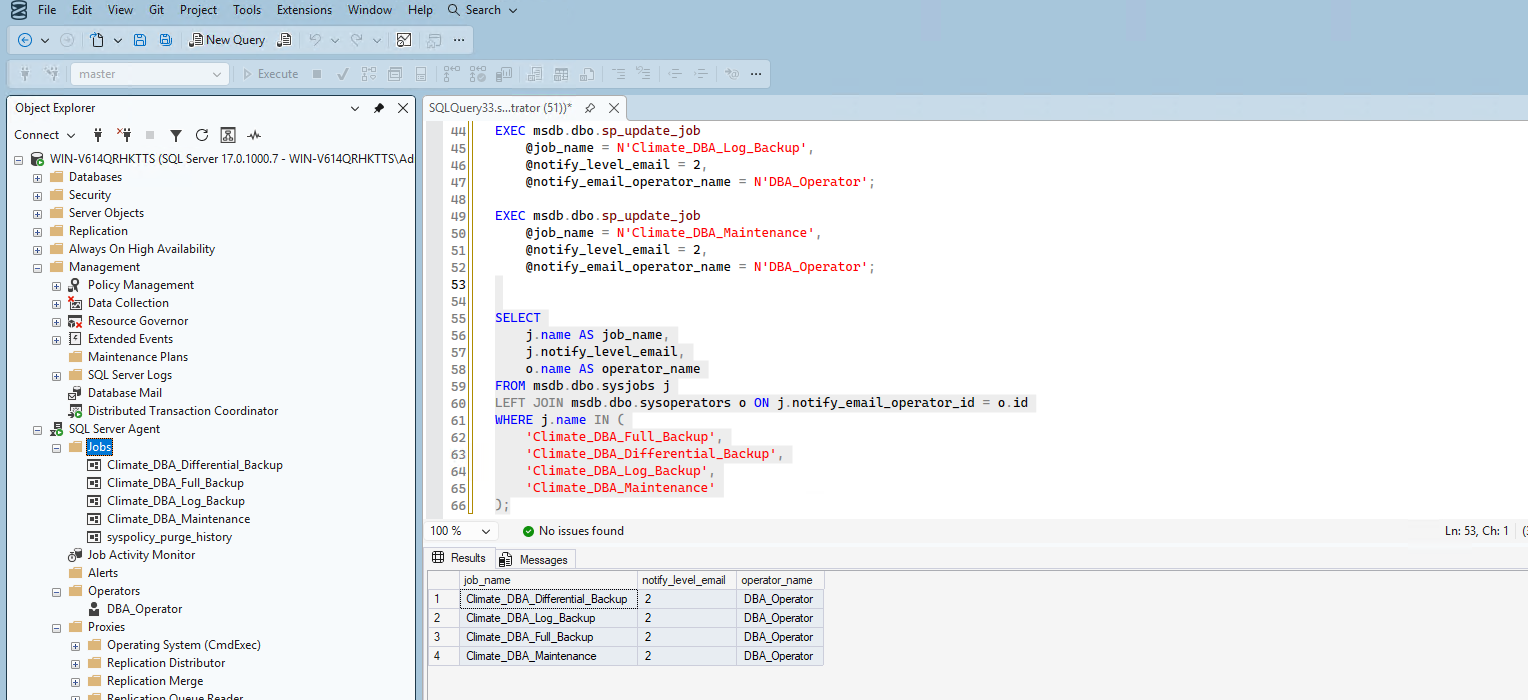
I created an operator, then attempted notification via sp_add_alert — which failed with Msg 14500. It turns out sp_add_alert triggers on SQL Server error log messages/severities, not job outcomes directly. The correct mechanism for job-failure notification is attaching notification directly to the job itself via sp_update_job:
EXEC msdb.dbo.sp_update_job
    @job_name = N'Climate_DBA_Full_Backup',
    @notify_level_email = 2,  -- notify only on failure
    @notify_email_operator_name = N'DBA_Operator';
I repeated this for all four jobs and verified:
6. Tested the failure notification wiring with a real failure
I deliberately created a job pointing at a table that doesn't exist, to genuinely trigger a failure rather than assume the wiring works. Checking the Log File Viewer confirmed: the job genuinely failed (Invalid object name 'climate.this_table_does_not_exist', Error 208), and the "Operator Emailed" field was blank — honest confirmation that no email was actually sent, since Database Mail isn't configured.
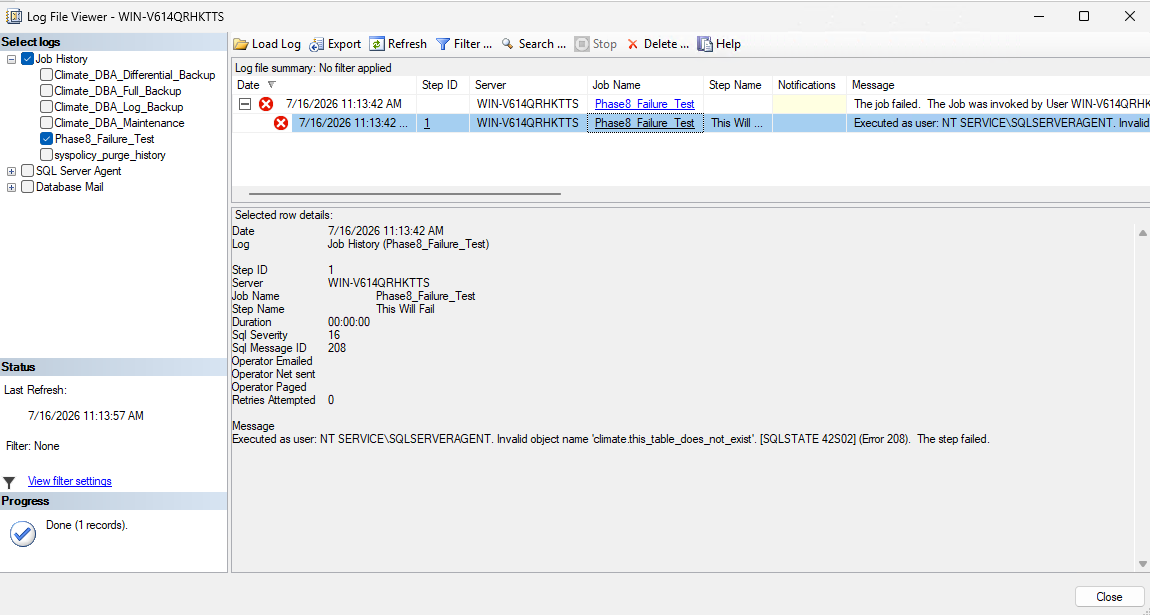
This proves the failure detection and logging mechanism genuinely works, while being completely transparent that email delivery itself wasn't set up due to the lack of a real mail server in this lab environment. I cleaned up the test job afterward.
Summary
| Item | Status | Notes |
|---|---|---|
| Full backup job | ✅ Automated & verified | Weekly, Sunday 2 AM |
| Differential backup job | ✅ Automated & verified | Daily except Sunday, 2 AM |
| Log backup job | ✅ Automated & verified | Every 5 minutes, per Phase 5's RPO |
| Maintenance job | ✅ Automated & verified | Integrity check + statistics, weekly Sunday 3 AM |
| Job failure notifications | ✅ Configured | All 4 jobs notify on failure |
| Database Mail (email delivery) | ⚠️ Not configured | Honest limitation — no real SMTP server available in this lab |
| Failure detection/logging | ✅ Verified with real test | Confirmed via deliberately broken test job |
What's Next
With backups, maintenance, and failure detection fully automated and verified, Phase 9 moves into the big infrastructure milestone: provisioning secondary replica VMs and configuring Always On Availability Groups.