1. Created and enabled a Server Audit
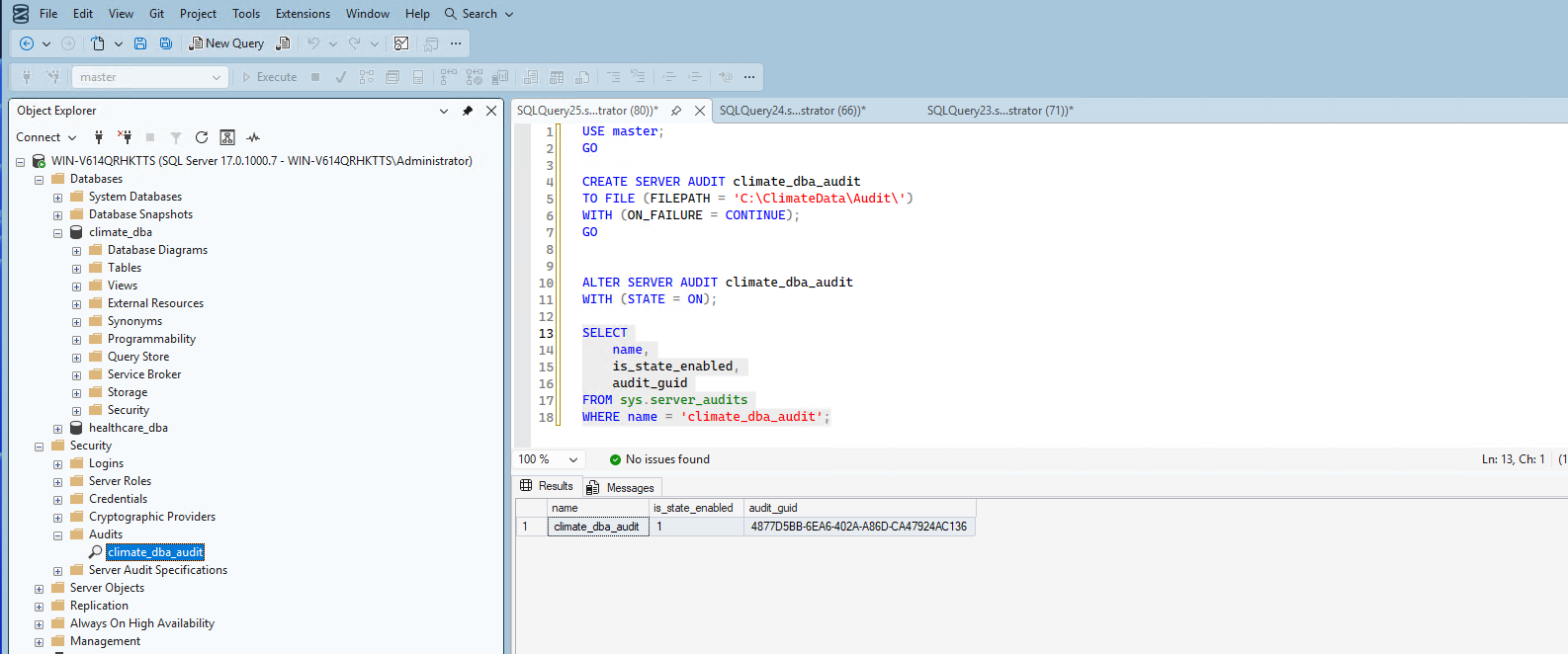
The Server Audit is the top-level object that defines where audit output gets written:
CREATE SERVER AUDIT climate_dba_audit
TO FILE (FILEPATH = 'C:\ClimateData\Audit\')
WITH (ON_FAILURE = CONTINUE);Msg 33072, The audit log file path is invalid. I'd assumed SQL Server would create the target folder automatically — it doesn't. I had to create C:\ClimateData\Audit\ inside the VM manually first, then the command succeeded. My first verification attempt also failed — I queried columns that don't exist on sys.server_audits (Msg 207, Invalid column name). The correct columns are name, is_state_enabled, audit_guid.ALTER SERVER AUDIT climate_dba_audit WITH (STATE = ON);
SELECT name, is_state_enabled, audit_guid FROM sys.server_audits WHERE name = 'climate_dba_audit';Confirmed is_state_enabled = 1.
2. Created a Database Audit Specification
This defines what gets audited within climate_dba — I chose to audit data changes (INSERT/UPDATE/DELETE) on the climate schema, plus schema and permission changes:
CREATE DATABASE AUDIT SPECIFICATION climate_dba_audit_spec
FOR SERVER AUDIT climate_dba_audit
ADD (SCHEMA_OBJECT_CHANGE_GROUP),
ADD (DATABASE_OBJECT_PERMISSION_CHANGE_GROUP),
ADD (INSERT, UPDATE, DELETE ON SCHEMA::climate BY public)
WITH (STATE = ON);
3. Verified auditing actually captures real events
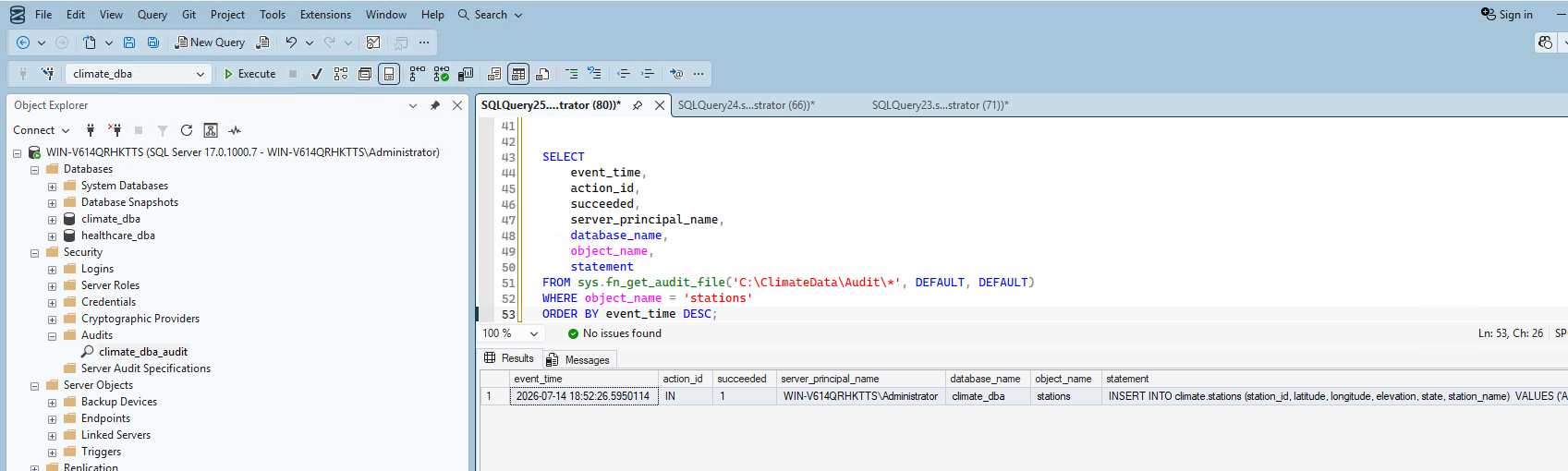
Configuration alone proves nothing — I tested it with a real, identifiable INSERT, then queried the audit log to confirm it was captured with the full statement text, timestamp, and principal.
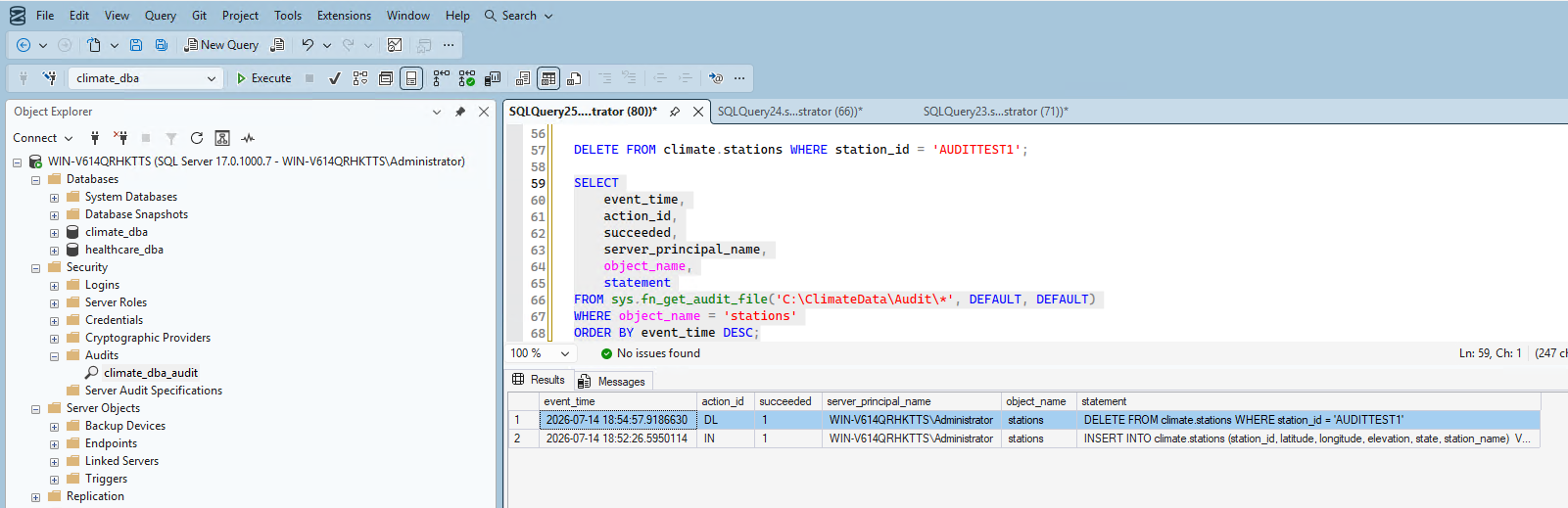
I cleaned up the test row with a DELETE, and confirmed that operation was captured too — a second real, independent audit event:
4. Set up and verified login auditing
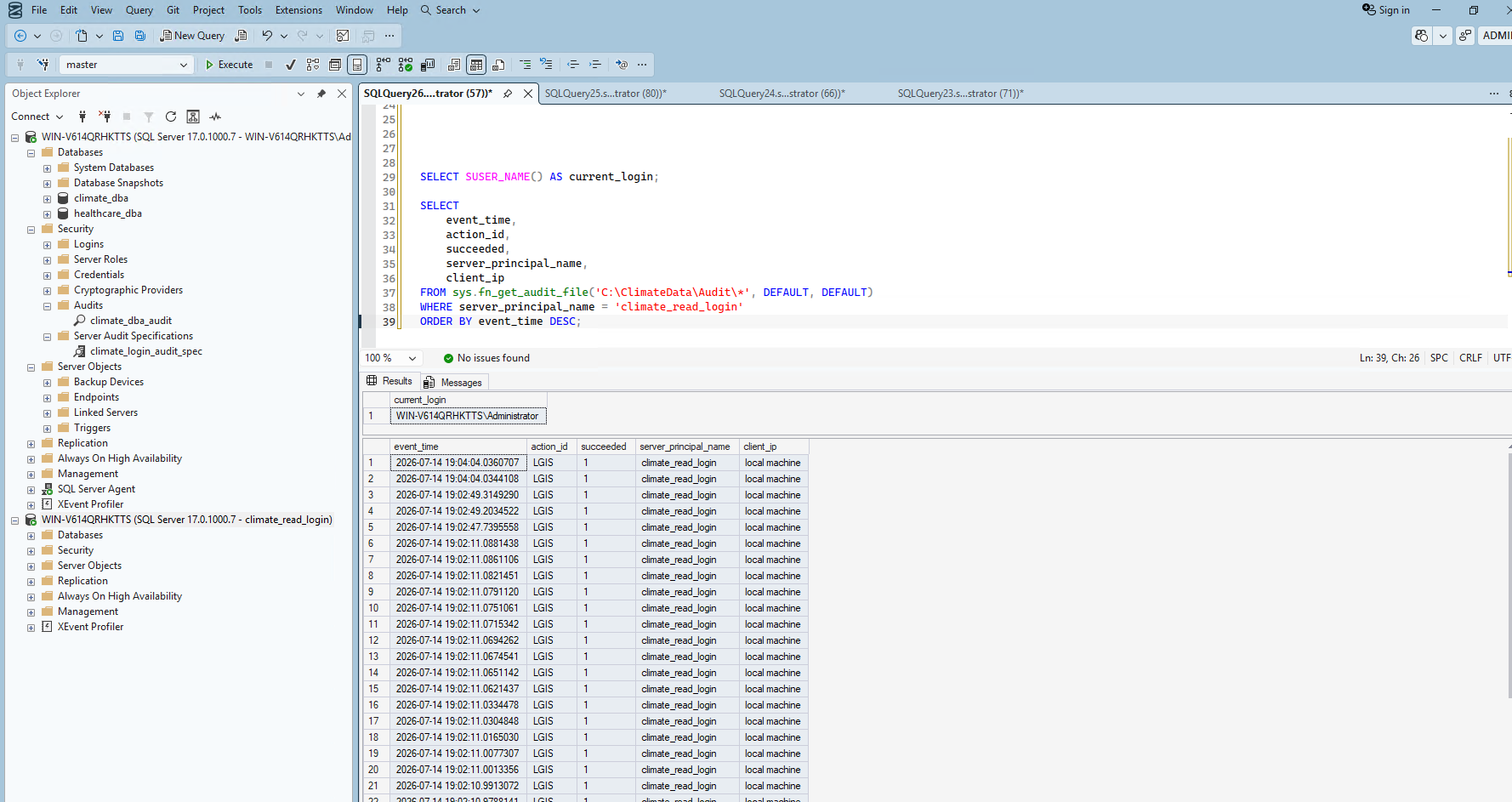
I added successful and failed login tracking to the server audit.
climate_read_login, which correctly errored (Msg 300, VIEW SERVER SECURITY AUDIT permission was denied) since that account genuinely doesn't have permission to view the audit log — itself a reasonable security boundary, not a bug.Re-running from my admin connection showed multiple real LGIS (Login Success) events:
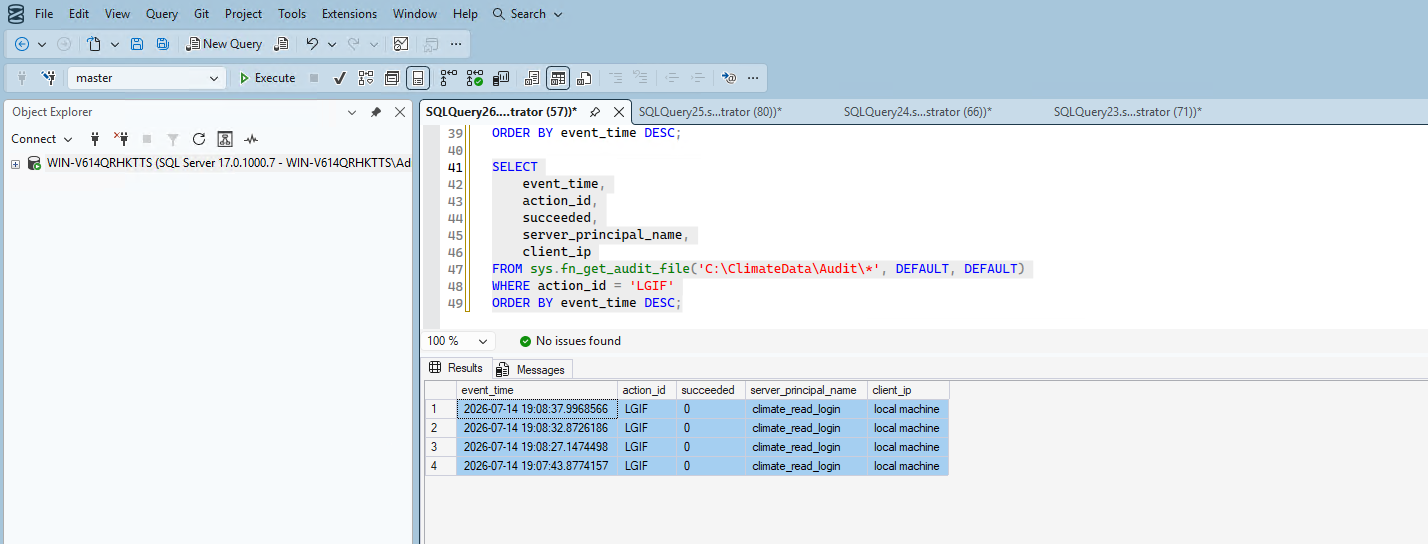
I deliberately entered a wrong password for climate_read_login and confirmed a real login failure on screen. Checking the audit log showed genuine LGIF (Login Failed) events with succeeded = 0:
5. Enabled Change Tracking — and hit a real, honest schema limitation
I enabled Change Tracking at the database level, then chose climate.stations over daily_observations to demonstrate the mechanism without unnecessary overhead. But enabling it failed immediately:
Msg 4997: Cannot enable change tracking on table 'stations'. Change tracking requires a primary key.This is a real, honest consequence of Phase 1's deliberate design —
climate.stations was built with no primary key at all, on purpose, to match a naive "before" state. station_id is a genuine natural key, so adding a primary key here is a legitimate schema improvement, not a workaround.Getting there took two more real errors. First, adding the primary key directly failed with Msg 8111: Cannot define PRIMARY KEY constraint on nullable column — station_id had never been marked NOT NULL. I fixed that first:
ALTER TABLE climate.stations
ALTER COLUMN station_id VARCHAR(11) NOT NULL;

ALTER TABLE climate.stations
ADD CONSTRAINT PK_stations PRIMARY KEY (station_id);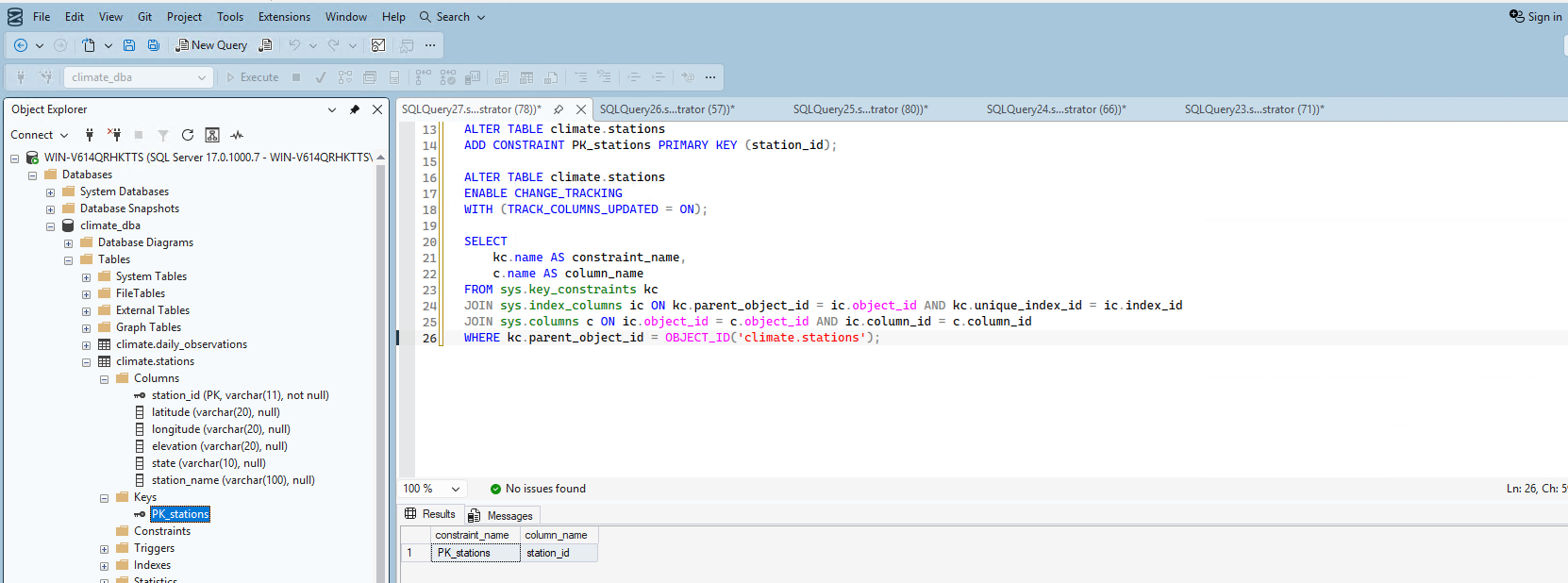
With the primary key in place, Change Tracking finally enabled successfully:
ALTER TABLE climate.stations
ENABLE CHANGE_TRACKING
WITH (TRACK_COLUMNS_UPDATED = ON);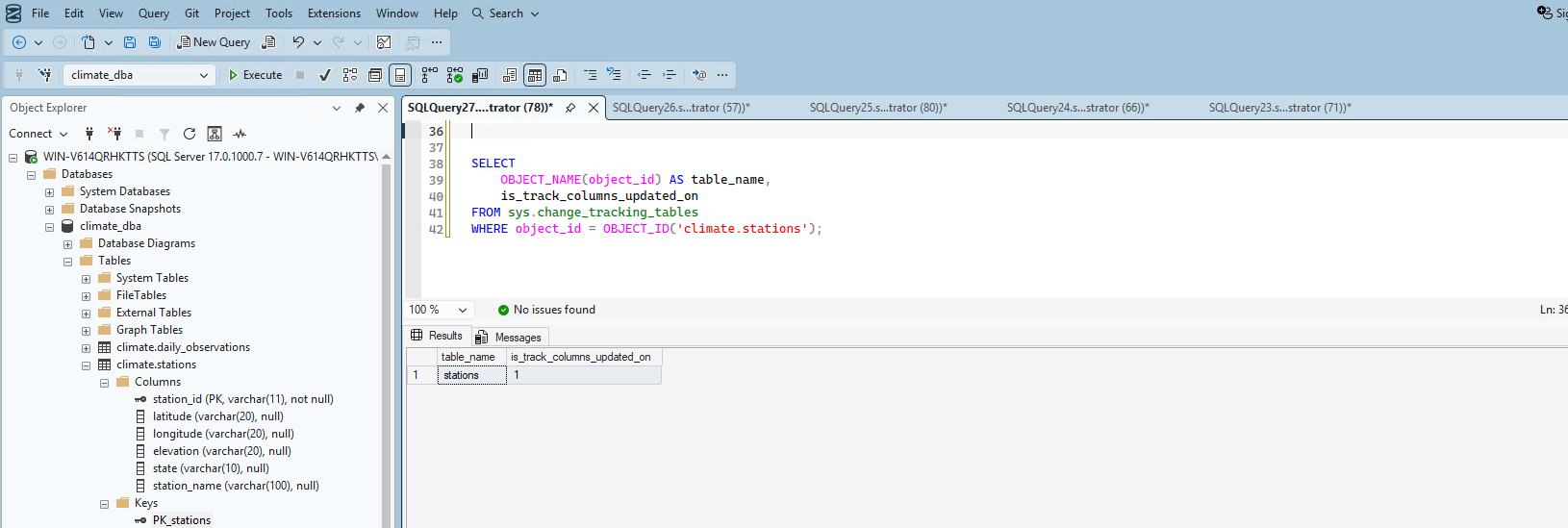
6. Verified Change Tracking captures real row-level changes
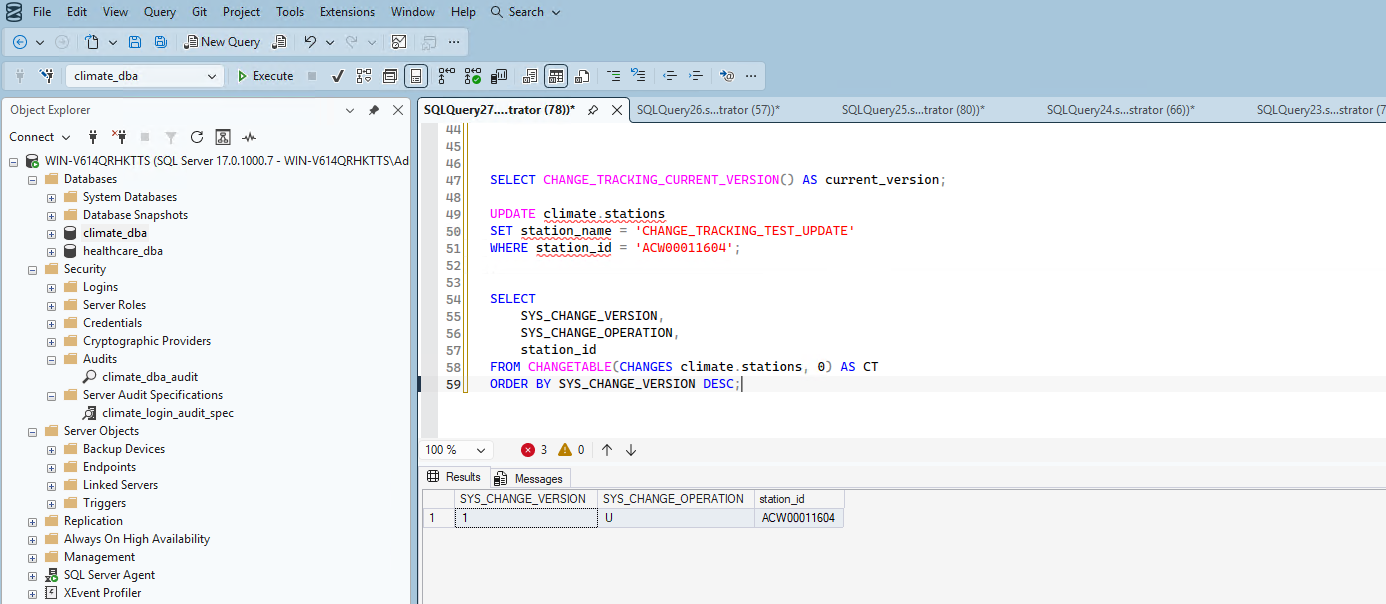
I updated a real row and confirmed the change version incremented from 0 to 1, with SYS_CHANGE_OPERATION = 'U' correctly showing the update against the right station_id — real, verified proof the mechanism works. I reverted the test change afterward to leave the data clean.
Summary
| Item | Status | Verification |
|---|---|---|
| Server Audit | ✅ Enabled | is_state_enabled = 1 |
| Database Audit Specification | ✅ Enabled | Real INSERT and DELETE captured with full statement text |
| Login auditing (success) | ✅ Verified | Real LGIS events for climate_read_login |
| Login auditing (failure) | ✅ Verified | Real LGIF events with succeeded = 0 |
| Change Tracking | ✅ Enabled | Required adding a genuine primary key to stations first — a real schema fix, not a workaround |
| Change Tracking test | ✅ Verified | Real UPDATE correctly captured as version 1, operation 'U' |
What's Next
With auditing and change tracking genuinely verified — including an honest schema limitation discovered and properly fixed along the way — Phase 8 moves into SQL Server Agent and automation: scheduled jobs, automated backups, and alerting.