Overview Phase 1 — Assessment Phase 2 — Schema Conversion Phase 3 — Data Migration Phase 4 — Validation Phase 5 — Performance Phase 6 — Documentation
Phase 01 — Assessment & Environment Prep

Building the Environment, Assessing the Source

Before writing a single line of T-SQL, I built the infrastructure this migration runs on and fully inventoried the PostgreSQL source database it's built to replace. That meant standing up a Hyper-V VM, installing SQL Server 2025, and discovering along the way that Microsoft's own migration tool doesn't support PostgreSQL anymore.

Hyper-V Windows Server 2025 SQL Server 2025 SSMA Discovery PostgreSQL 18 5 Tables / 2 Schemas

What I Did in Phase 1

The Environment

I built the entire target environment from scratch on a single Windows 11 Pro laptop (64 GB RAM) using Hyper-V — a Windows Server 2025 VM hosting SQL Server 2025 Enterprise Developer Edition, networked to my existing native PostgreSQL 18 installation. I deliberately provisioned this VM as the future Always On Availability Group primary replica for a follow-on Enterprise DBA project, so the environment serves double duty rather than being rebuilt later.

The Assessment

Once the environment was live, I connected to the source healthcare_dba PostgreSQL database and ran a full inventory: every table, column, data type, constraint, index, trigger, function, and sequence across two schemas — cms for core provider data and audit for logging.

2
Schemas
5
Tables
~20.5M
Rows Inventoried
2
Extensions Checked

A Hyper-V Environment Built From Scratch

Key Decisions

Every configuration choice was deliberate rather than defaulted, since this environment needs to support both this migration and a follow-on enterprise DBA project.

Decision 01
Standard Edition, Not Datacenter
Windows Server Standard fully supports Windows Server Failover Clustering and Always On Availability Groups — Datacenter's extra features (unlimited VM licensing, Storage Spaces Direct) aren't relevant for a single-VM lab.
Decision 02
Desktop Experience Over Core
I chose the GUI install over Server Core specifically so I could capture clean screenshots of every configuration dialog for this portfolio — a deliberate trade against the production-typical choice.
Decision 03
Mixed Mode Authentication
SQL Server authentication needed to be available from day one for the later Security phase of the DBA project, not just Windows authentication.
Decision 04
Default Instance, Not Named
Each Always On replica VM hosts exactly one SQL Server instance, so failover evidence later reads clearly from machine names rather than instance names.
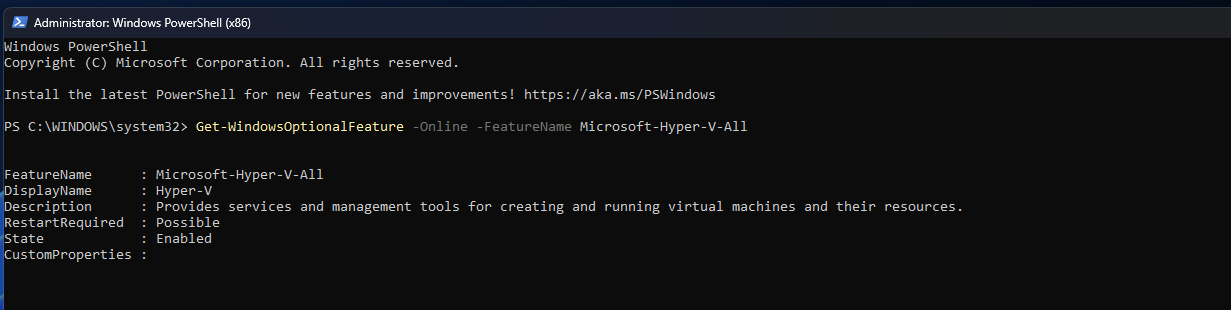
Screenshot — Hyper-V Feature Enabled
PowerShell output confirming Hyper-V feature enabled on Windows 11 Pro
Confirming Hyper-V was available but disabled by default on Windows 11 Pro, then enabling it
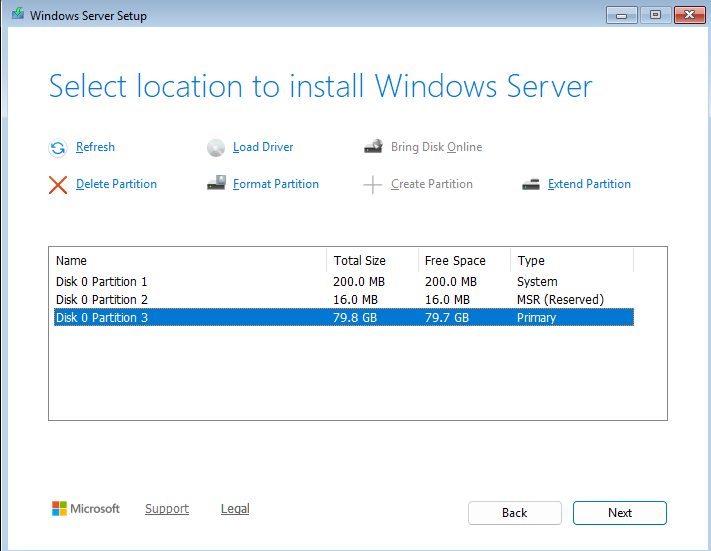
Screenshot — VM Disk Allocation
Windows Server setup showing partitions created on an 80GB disk
Setup automatically creating System, MSR, and Primary partitions on the 80 GB VHDX
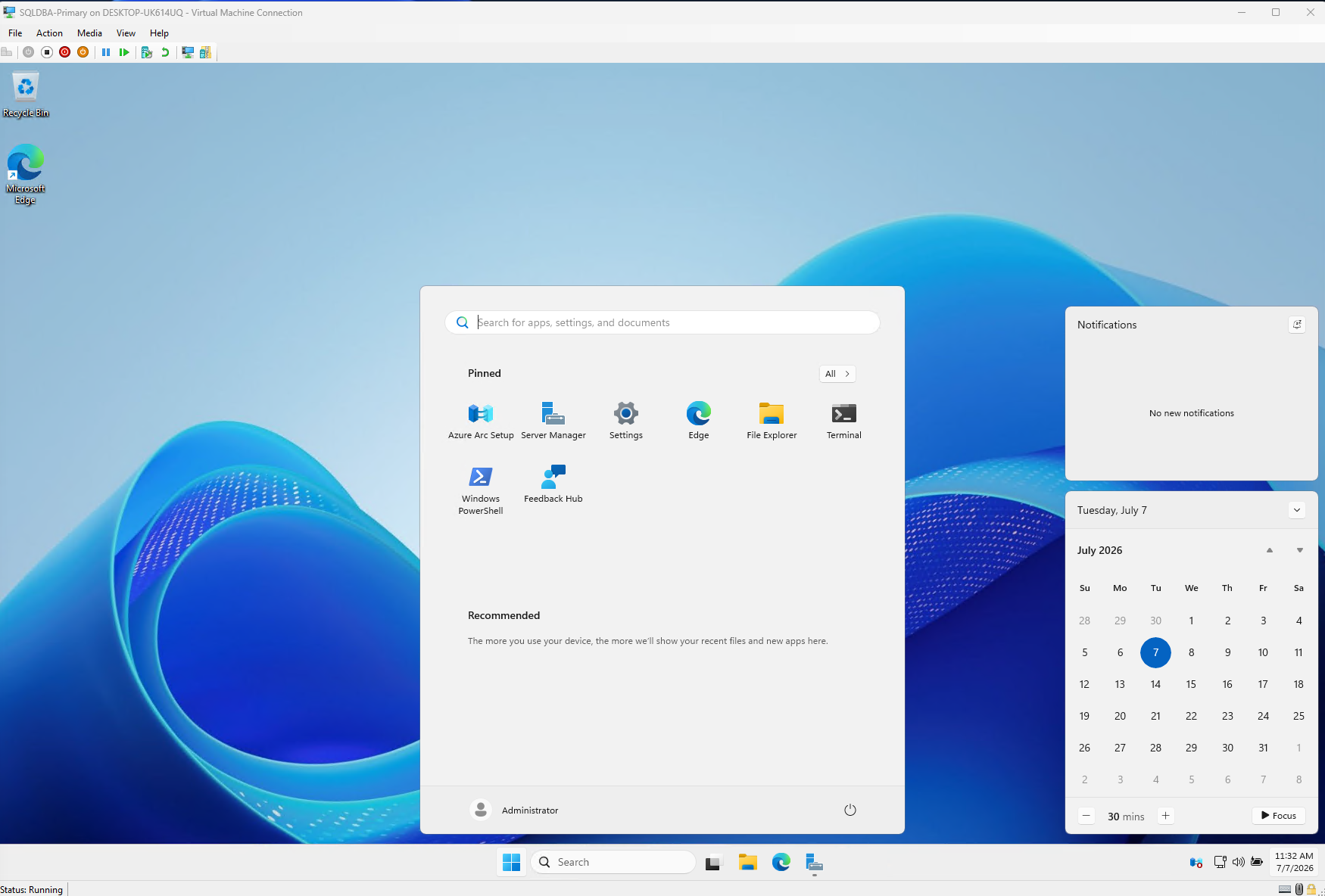
Screenshot — VM First Boot
SQLDBA-Primary VM booted to the Windows Server desktop for the first time
SQLDBA-Primary booted and logged in for the first time
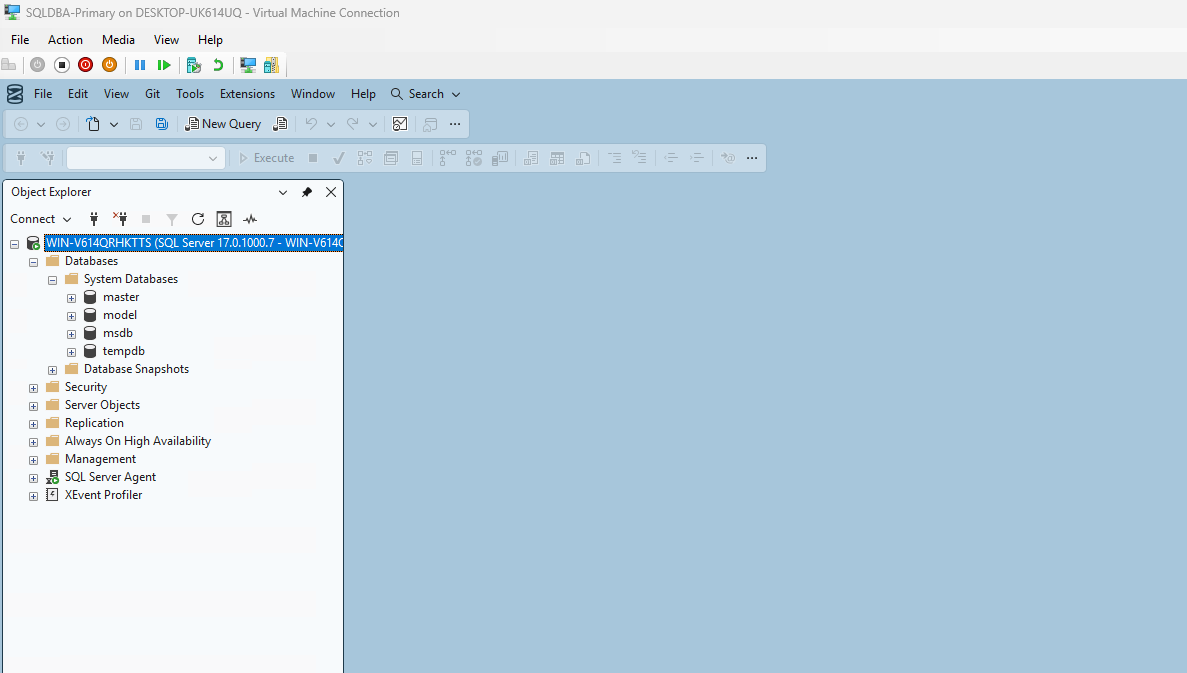
Screenshot — SSMS Connected
SSMS 21 connected to the SQLDBA-Primary SQL Server instance
SSMS 21 installed and connected to the SQLDBA-Primary default instance

Inventorying the Source Database

Full Object Inventory

I ran a complete inventory against healthcare_dba, covering every category of object that would need to convert to T-SQL.

CategoryFinding
Schemas2 — cms (core data) and audit (logging)
Tables5, totaling ~20.5 million rows and ~5.5 GB
Primary Keys4, including one composite key on user_state_access
Foreign Keys1 — provider_services.rndrng_npiproviders.rndrng_npi
Indexes8 secondary indexes, all standard B-tree
Triggers2, both calling the same generic audit-logging function
Sequences2, standard bigint identity-style sequences
Extensions2 (plpgsql, pg_stat_statements) — neither needs migrating

PostgreSQL-Specific Types Flagged

Two column types had no direct SQL Server equivalent and needed a mapping decision in Phase 2: jsonb (used for the audit log's before/after row snapshots) and inet (used for the client IP address on audit records). I also noticed cms.staging_raw stores nearly every column — even numeric ones — as character varying, telling me it's a raw landing table rather than a true relational entity.

When the Planned Tool Doesn't Exist

My original plan was to use Microsoft's SQL Server Migration Assistant (SSMA), the standard free tool for this kind of migration. When I went to download it, I found that the current SSMA documentation lists exactly five supported sources: Access, Db2, MySQL, Oracle, and SAP ASE. PostgreSQL isn't one of them — several third-party blogs still describe "SSMA for PostgreSQL" as current, but none link to a working Microsoft download, and Microsoft's own source list doesn't include it.

SSMA
I pivoted to a custom Python ETL pipeline instead of forcing an unavailable tool. Given the schema's manageable size — 5 tables, 1 foreign key, one custom trigger/function — hand-writing the T-SQL DDL and building my own ETL with psycopg2 and pyodbc was a fully viable path, and one that demonstrates more hands-on schema-conversion and ETL skill than a GUI wizard would have.