Database Migration Portfolio Project

PostgreSQL SQL Server Migration

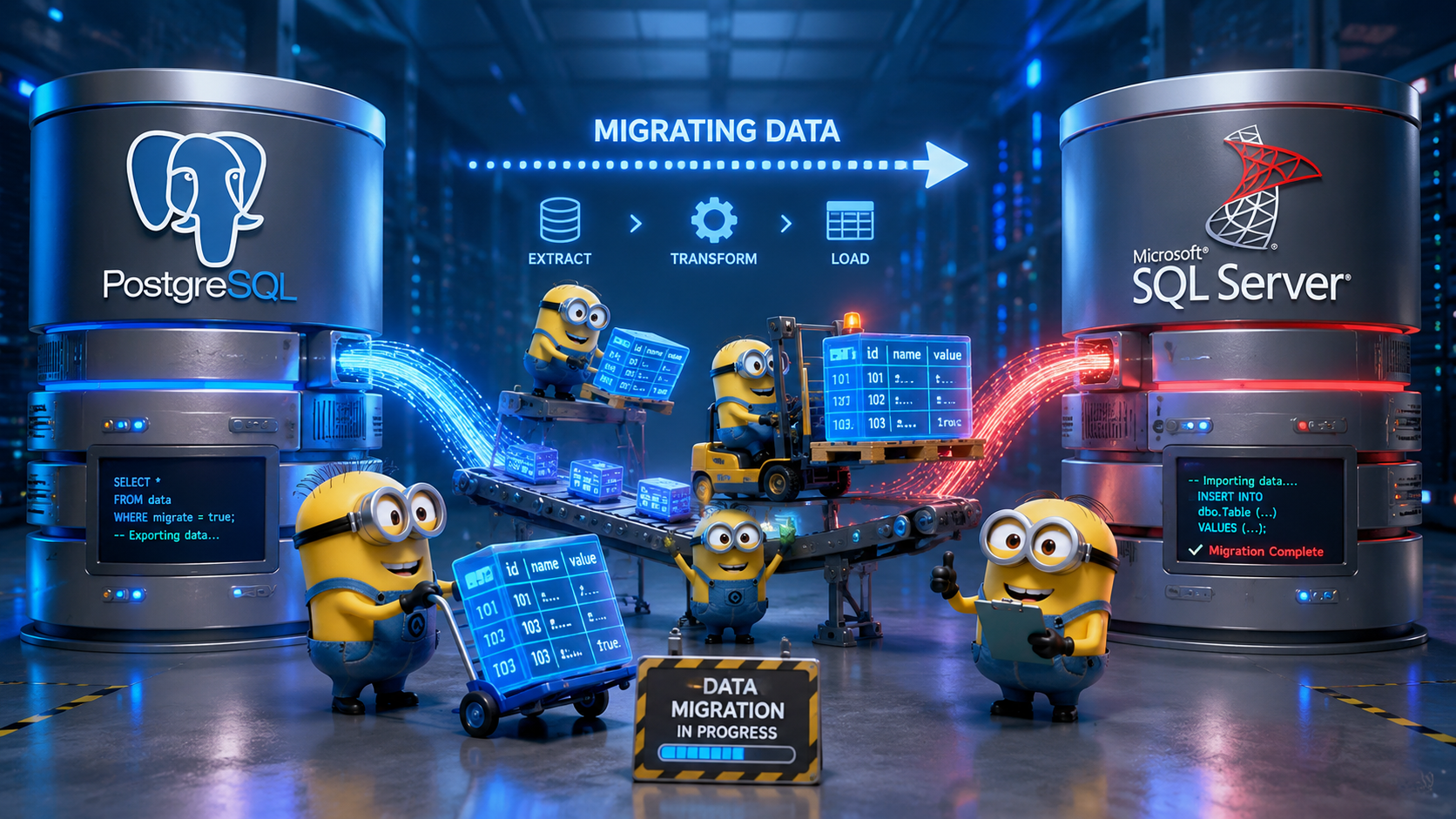
PostgreSQL to SQL Server data migration illustration

An end-to-end PostgreSQL to Microsoft SQL Server migration I built on a CMS Medicare provider and services dataset. I assessed the source database, converted the full schema — including a custom audit-logging trigger — to native T-SQL, migrated 20.5 million rows with a custom Python ETL pipeline after discovering Microsoft's migration tool no longer supports PostgreSQL as a source, validated the result across three layers, and benchmarked and tuned performance against the original system.
PostgreSQL 18 SQL Server 2025 Schema Conversion Python ETL Performance Tuning CMS Medicare Data

What This Project Demonstrates

The Goal

I wanted to build a migration project that covers the full scope of what moving a production database actually requires — not just copying tables. Assessment, schema conversion, data migration, validation, and performance tuning aren't isolated steps. They form a complete discipline, and this project treats them that way.

The Source System

I used a CMS Medicare provider and services dataset already running in PostgreSQL 18 — 20.5 million rows across 5 tables in two schemas (core provider data and audit logging) — to simulate a real production migration to Microsoft SQL Server 2025, built on a Hyper-V VM alongside the source system.

20.5M
Rows Migrated
5
Tables / 2 Schemas
~15 min
Migration Time
4 / 6
Queries Faster on SQL Server
6
Project Phases
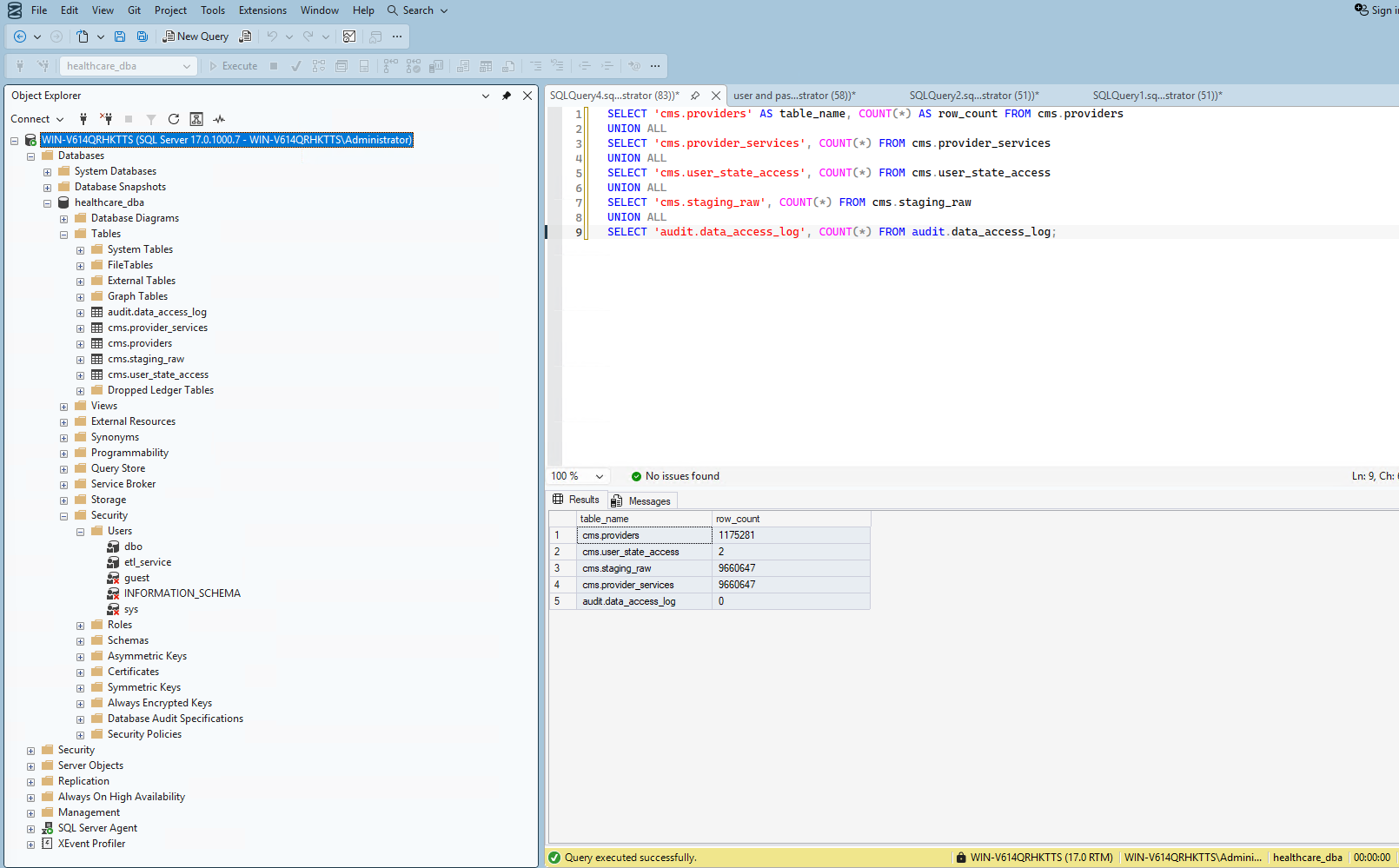
Screenshot — Migration Row Count Validation
Row count validation showing PostgreSQL and SQL Server tables matching exactly, with zero audit log rows

Every table matched the source exactly after migration — including a clean, zero-row audit log

Six Phases, One Complete Migration

Phase 01 — Assessment
Assessment & Environment Prep

I inventoried every table, column, constraint, index, trigger, and sequence in the source PostgreSQL database across two schemas, flagged PostgreSQL-specific types with no direct SQL Server equivalent, and discovered mid-project that Microsoft's SSMA no longer supports PostgreSQL as a source — so I pivoted to a custom Python ETL instead.

Phase Complete
Phase 02 — Schema Conversion
Schema Conversion

I converted every table, key, and index across two schemas to T-SQL, mapped PostgreSQL-specific types to their SQL Server equivalents, and rewrote a generic PL/pgSQL audit-logging trigger — shared across multiple tables via dynamic metadata — as two dedicated T-SQL triggers using the native JSON type and FOR JSON PATH.

Phase Complete
Phase 03 — Data Migration
Data Migration

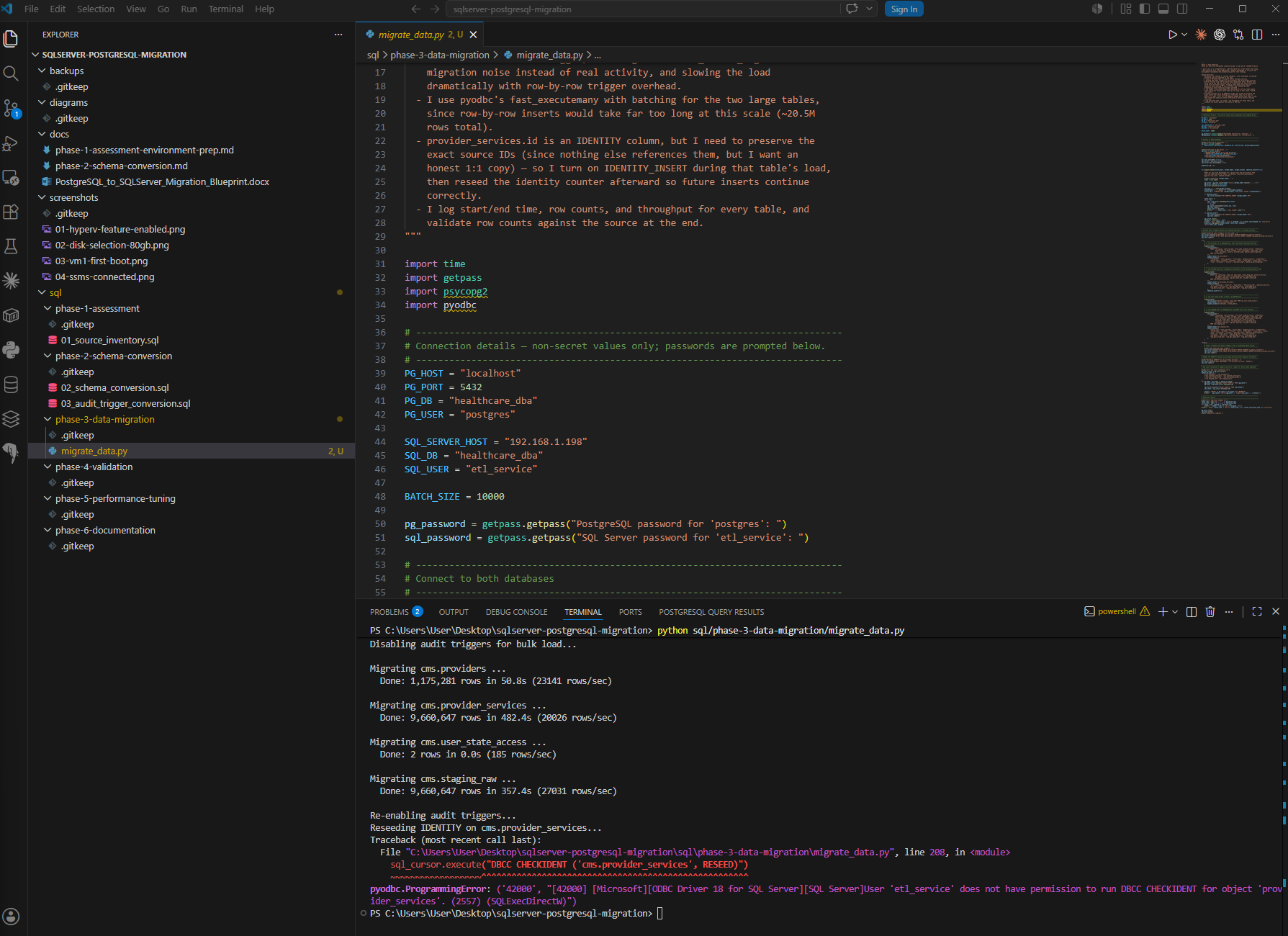
I built a Python ETL pipeline that migrated 20.5 million rows in the correct referential order, disabling the audit triggers during the bulk load to avoid flooding the audit table with migration noise, then re-enabled them and reseeded the identity counter — validating zero rows leaked into the audit log afterward.

Phase Complete
Phase 04 — Validation
Validation & Integrity Testing

I validated the migration across three layers: aggregate checksums matching exactly between source and target, four constraint-enforcement tests confirming SQL Server rejects bad data the same way PostgreSQL did, and three representative queries returning identical results on both systems.

Phase Complete
Phase 05 — Performance
Performance Baseline & Tuning

I baselined six representative queries against both systems, then investigated a real regression: SQL Server ran one join nearly 2× slower than PostgreSQL. Four different tuning attempts all confirmed the same conclusion: a genuine structural bottleneck, not a missing index.

Phase Complete
Phase 06 — Documentation
Documentation & Portfolio Packaging

I documented every phase as I completed it — architecture, decisions, real errors and how I fixed them, and results — and packaged the project into this standalone, presentable portfolio piece with full source code and commit history on GitHub.

Phase Complete

A Real Environment, Built From Scratch

I built the entire environment on a single Windows 11 Pro laptop using Hyper-V, rather than relying on a pre-existing SQL Server install. A Windows Server 2025 VM hosts SQL Server 2025 Enterprise Developer Edition, networked to my existing native PostgreSQL 18 installation on the host. I chose this VM deliberately as the future Always On Availability Group primary replica for a follow-on Enterprise DBA project, so the environment serves double duty rather than being rebuilt later.

Getting there wasn't friction-free, and I documented the real troubleshooting rather than smoothing it over: TCP/IP was disabled by default in SQL Server Configuration Manager, no Windows Firewall rule existed for port 1433, and a dedicated etl_service login needed specific ALTER permissions before it could even disable my own audit triggers for the bulk load.

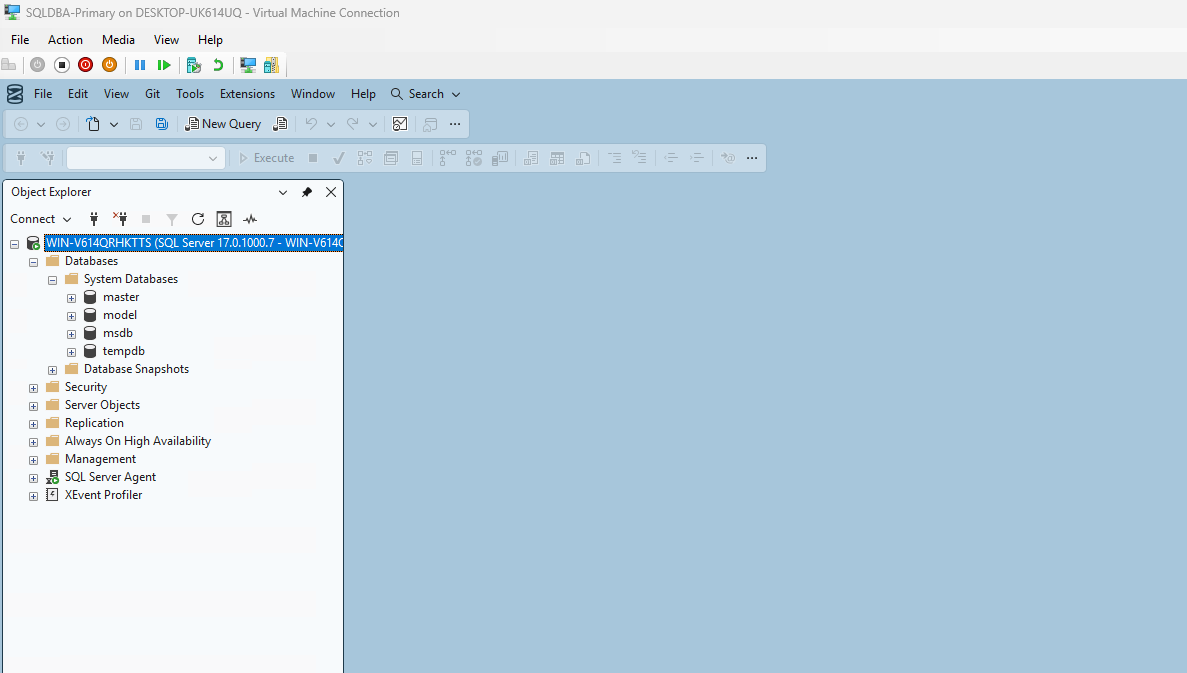
Screenshot — SSMS Connected to SQLDBA-Primary
SSMS connected to the SQLDBA-Primary SQL Server instance

SSMS 21 connected to SQL Server 2025 Enterprise Developer Edition on the Hyper-V VM

Screenshot — ETL Migration Output
Terminal output showing all four tables migrated with row counts and throughput

The custom Python ETL pipeline migrating all four tables — ~20.5 million rows in under 15 minutes

PostgreSQL vs. SQL Server, Head to Head

I baselined six representative queries — covering point lookups, joins, aggregations, filtering, and a heavy join-plus-sort — against both systems. The results below are real measured execution times from psql and SSMS, not estimates.

Query Description PostgreSQL SQL Server Result
Q1 Point lookup by primary key 13.2 ms 50 ms PostgreSQL faster
Q2 Join + filter by state 1,969.7 ms 3,582 ms Investigated in depth
Q3 Group-by aggregation by provider type 162.2 ms 109 ms 33% faster on SQL Server
Q4 Join + group-by aggregation by state 1,515.0 ms 967 ms 36% faster on SQL Server
Q5 Filtered range scan 467.3 ms 316 ms 32% faster on SQL Server
Q6 Heavy join + aggregation + sort 6,096.4 ms 2,051 ms 66% faster on SQL Server
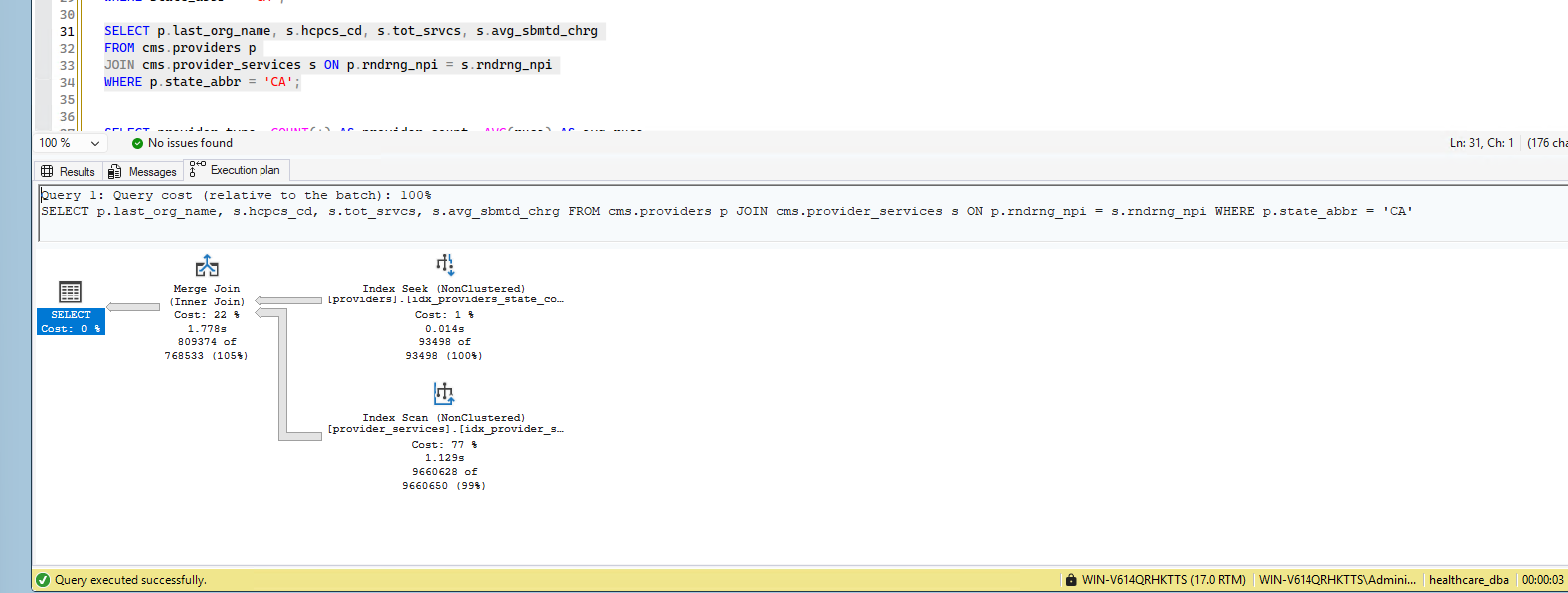
Screenshot — Q2 Execution Plan Bottleneck
SQL Server execution plan showing a full index scan across 9.6 million rows of provider_services

Q2's confirmed bottleneck — an Index Scan across 9,660,628 rows, 77% of query cost, after four different tuning attempts

What the Project Actually Shows

SSMA
My planned migration tool didn't exist for this job — so I adapted. I intended to use Microsoft's SQL Server Migration Assistant, but discovered mid-project that its current version no longer lists PostgreSQL as a supported source. Rather than force an unavailable tool, I pivoted to a custom Python ETL pipeline using psycopg2 and pyodbc — a more hands-on but equally valid path.
0
Zero audit-log rows were created by the migration itself. The audit triggers I built in Phase 2 would have fired on every one of the ~10.8 million rows inserted into providers and provider_services. I disabled both triggers before the bulk load and re-enabled them immediately after, confirmed by a clean, zero-row audit table post-migration.
Four tuning attempts led to one honest conclusion. I tried two covering indexes, a forced loop join, and a filtered index to fix a query running nearly 2× slower on SQL Server. All four landed in the same time range — proof the bottleneck was structural (the target table has no state_abbr to filter on), not a missing index. I documented that conclusion rather than forcing an artificial fix.
100%
Every validation layer matched exactly. Row counts, aggregate checksums (sums, distinct counts, min/max), four constraint-enforcement tests, and three representative query diffs all matched between PostgreSQL and SQL Server — real proof the migration preserved both the data and the rules governing it.

Built with PostgreSQL & SQL Server

PostgreSQL 18 Source database engine
SQL Server 2025 Target database engine
SSMS 21 Target query & admin tool
Hyper-V Virtualized target environment
Windows Server 2025 Guest OS for SQL Server
Python 3.13 Custom ETL pipeline
psycopg2 & pyodbc Database connectivity
T-SQL Schema & trigger conversion
Git & GitHub Version control
PowerShell CLI & automation
VS Code Script authoring
CMS Medicare Data Source dataset

Two Ways In